Small channels grow on YouTube by triggering Browse Features through outlier topic modeling rather than competing for high-volume search keywords. Browse and Suggested algorithms generate more than 75% of total platform watch time, distributing videos based on Click-Through Rate (CTR > 8%) and Average View Duration (AVD > 55%) across broad viewer homepages rather than search queries.
Two years ago, a tech creator named Liam came to me ready to sell his studio gear.
He had produced forty-six videos over fourteen months. Every script was meticulously researched, his lighting was crisp, and his audio sounded like broadcast radio.
His subscriber count was frozen at 2,150. Most of his videos peaked at 400 views.
When I checked his YouTube Studio analytics, ninety percent of his traffic came from YouTube Search. He had spent months following outdated advice from 2018: stuffing titles with high-volume search keywords like "Best microphone for beginners."
The problem? Channels with two million subscribers had already claimed those keywords six years ago. Liam was fighting for table scraps.
We completely changed his editorial strategy. We pulled up the Free YouTube Viral Videos Finder to scan for "outlier videos"—topics where small channels with under 5,000 subscribers had suddenly generated over 100,000 views.
We found an unserved outlier concept around custom desk ergonomics. Liam filmed his own version, nailed a high-contrast thumbnail, and published.
Twelve days later, that single video hit 385,000 views. It pushed his channel past 20,000 subscribers and generated $4,200 in affiliate commissions.
Here is the exact diagnostic playbook small channels use to escape the 400-view trap and trigger YouTube's massive Browse algorithm.
Search vs Browse: Understanding the Traffic Realities of YouTube
YouTube Search is an informational index, but Browse Features represent an automated entertainment recommendation engine.
Most small creators get stuck because they optimize exclusively for search queries. While search traffic provides modest, predictable views over time, it rarely creates exponential channel growth.
YouTube Search:   User enters query  ──> 10 Blue links  ──> Low click volume (10% of YouTube)
YouTube Browse:   Home Screen Feed   ──> AI Suggestion  ──> Exponential scale (75% of YouTube)
Look at the operational differences between these two algorithmic traffic sources:
| Channel Metric | YouTube Search Traffic | YouTube Browse Features Traffic |
|---|---|---|
| Viewer Intent | Active problem solving (task-driven) | Passive entertainment & curiosity discovery |
| Traffic Ceiling | Capped by daily search volume queries | Virtually uncapped (millions of homepages) |
| Key Ranking Signals | Title keyword match, tags, watch session start | High Click-Through Rate (CTR) + High Retention (AVD) |
| Subscriber Velocity | Slow trickle (0.5% subscriber conversion) | Explosive spikes (3%–5% subscriber conversion) |
| Growth Potential | Linear and flat | Exponential compounding |
To build an audience fast, your content must qualify for the Browse homepage feed. And the fastest way to qualify is by identifying proven outlier topics.
The Outlier Multiplier Method: How to Spot Viral Concepts
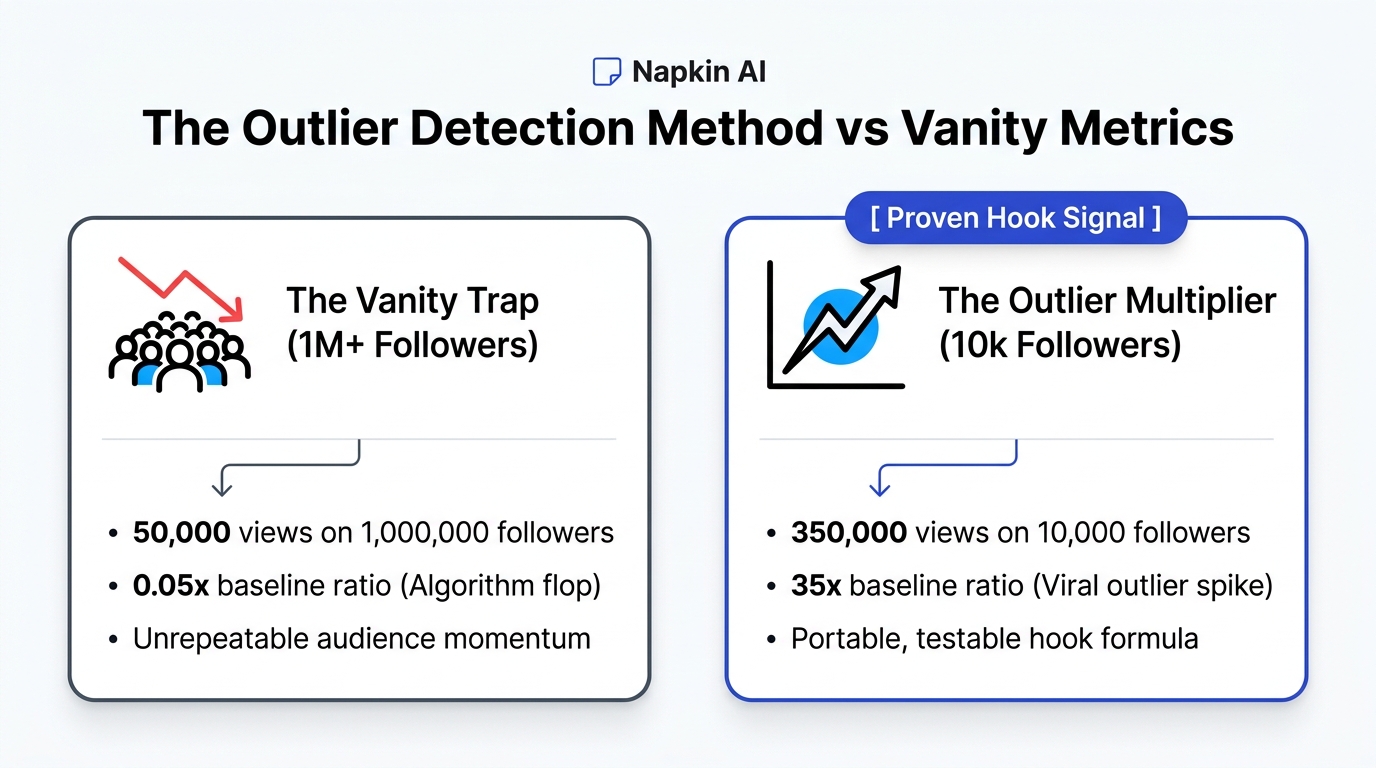
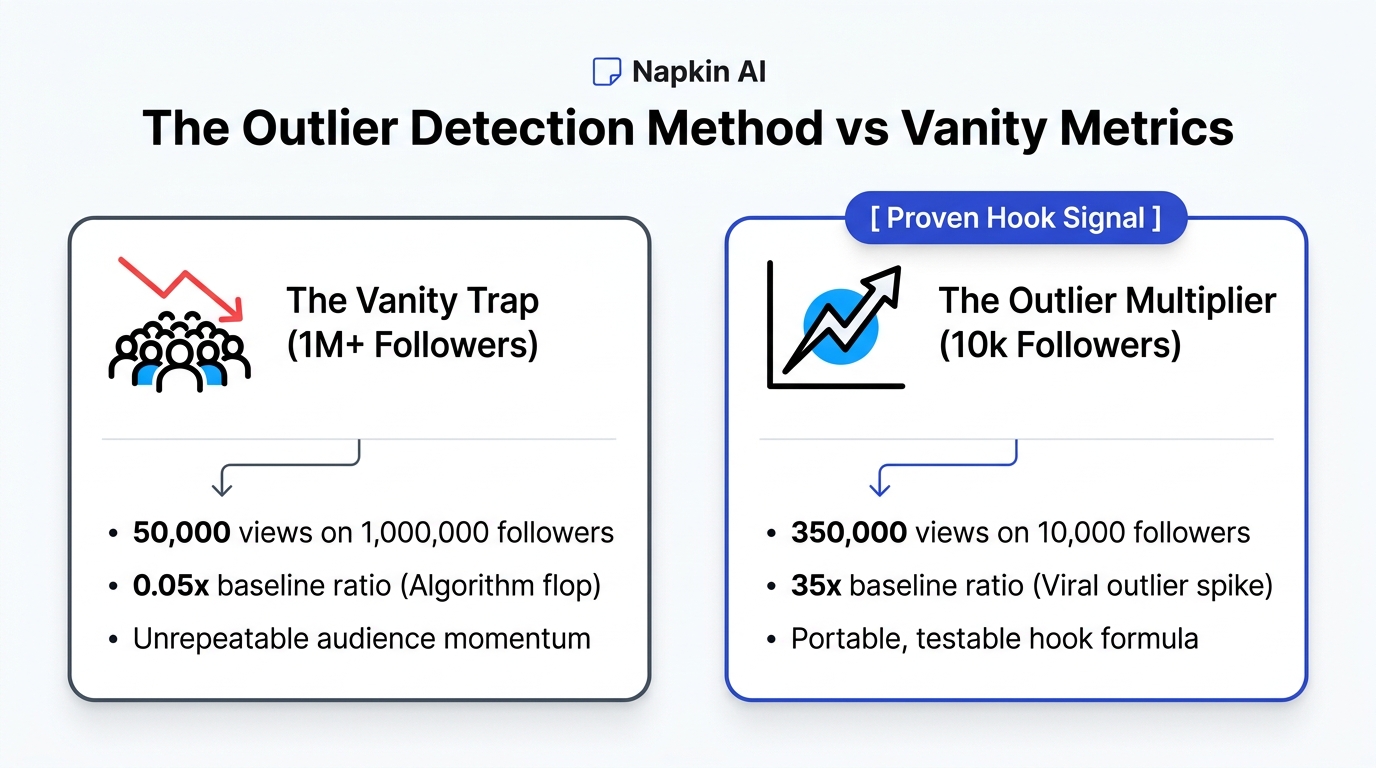
An outlier video is any upload that generates view counts significantly higher than the channel's 30-day median average.
$$\text{Outlier Multiplier} = \frac{\text{Specific Video Views}}{\text{Channel 30-Day Median Views}}$$
When an established channel with 500,000 subscribers gets 100,000 views, that video underperformed. But when a channel with 1,800 subscribers gets 150,000 views, that video achieved an Outlier Multiplier of 83x.
That 83x multiplier proves the topic possessed massive intrinsic interest that transcended the creator's existing brand size. The algorithm pushed it because cold audiences clicked and stayed.
How to Find Outliers in 3 Steps:
- Search Your Target Niche: Open the Free YouTube Viral Videos Finder. Enter a topic like "video editing setup" or "notion productivity".
- Filter by Channel Size: Isolate channels with under 25,000 subscribers.
- Sort by View-to-Subscriber Ratio: Look for uploads scoring above a $5.0\times$ view multiplier.
When you see multiple small creators pulling six-figure views on the same underlying concept, you have found an active market imbalance: high viewer hunger with low creator supply.
Deconstructing the Packaging: Thumbnail and Title Chemistry
A viral concept will fail if your packaging does not generate an 8% Click-Through Rate on mobile homepages.
Packaging is not clickbait; packaging is curiosity alignment. When auditing top-performing outliers, study how the creator combined their title and thumbnail:
- The Complementary Principle: Never repeat your video title inside your thumbnail image. If your title says "How I Built a Passive Income Engine", your thumbnail text should read "Month 6: $14,200" next to a bank statement screenshot.
- The Visual Discrepancy: Place one unexpected element in the thumbnail frame. A subtle red circle, a missing cable, or an unusual juxtaposition forces the viewer's brain to pause and resolve the question.
- Title Character Limits: Keep your title under 55 characters so mobile devices do not truncate your hook with ellipses.
Access Free Creator Tools to Supercharge Your Research
You do not need an enterprise software budget to uncover viral YouTube concepts.
Creator Insights offers an extensive collection of free creator tools to accelerate your audience growth:
- Free YouTube Viral Videos Finder: Scan YouTube search results to locate high-multiplier outlier videos.
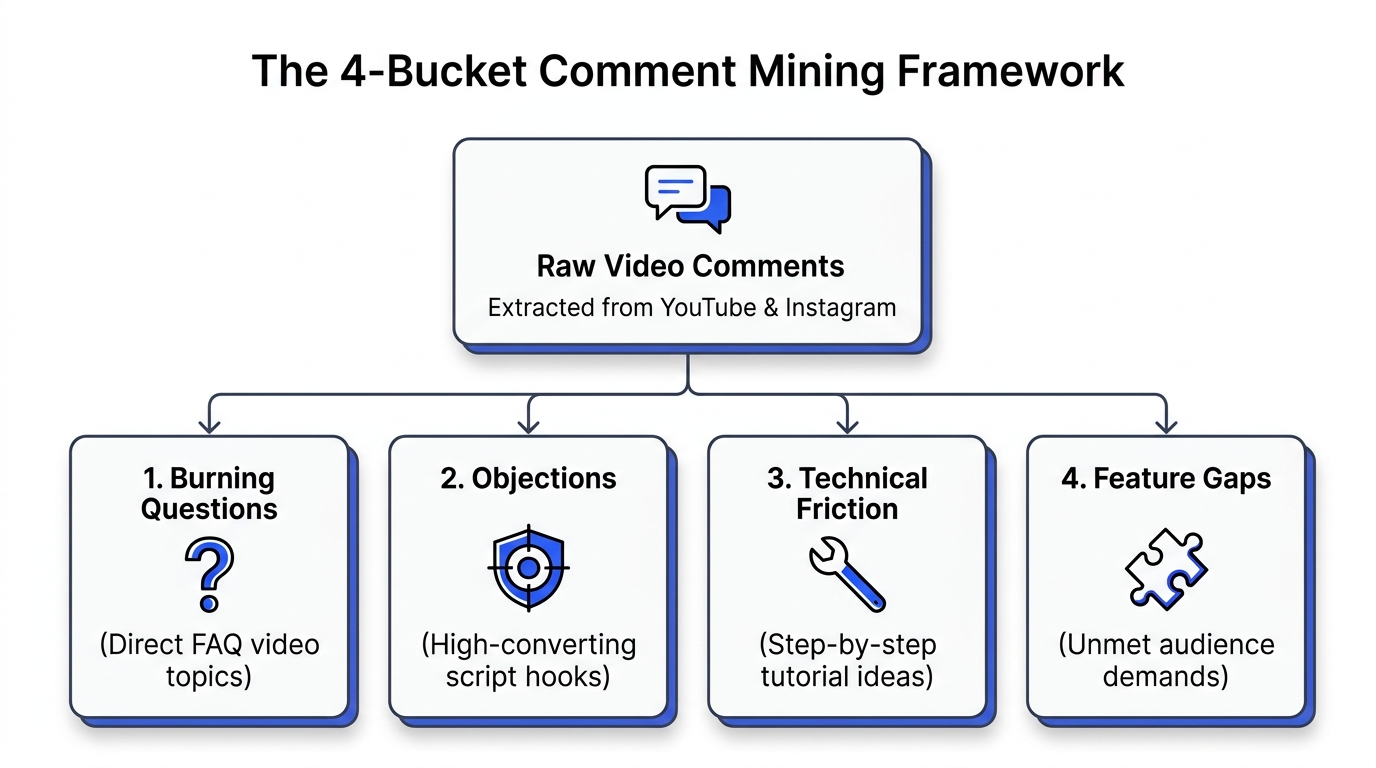
- Free Comment Analyzer: Extract viewer questions and common misconceptions from top-performing competitor uploads.
- Free TikTok Search Analyzer: Track trending short-form topics to adapt into full-length YouTube videos.
- Free Multi-Platform Auto Poster: Cross-post your YouTube Shorts to Instagram and TikTok automatically.
Visit dashboard.creatorinsights.in/freetools to explore all available research instruments.
Frequently Asked Questions
What are YouTube Browse Features?
Browse Features refer to traffic originating from the YouTube homepage screen, subscription feeds, Watch Later lists, and recommended topic carousels. It is the largest source of views on the platform, driven by automated algorithmic recommendations based on individual user viewing history.
What is a good Click-Through Rate (CTR) for YouTube Browse Features?
A Click-Through Rate between 6% and 10% is considered healthy for Browse traffic. When a video is pushed to broad cold audiences on the homepage, CTR naturally decreases as impression volume expands. Maintaining above 7% on impressions exceeding 50,000 indicates strong viral packaging.
Why do small channels struggle with YouTube Search?
Small channels struggle in search results because established accounts with high domain authority, millions of historical watch hours, and established viewer retention histories dominate high-volume search terms. Small creators grow faster by targeting Browse recommendations through outlier concept research.
How does the Outlier Multiplier Method work?
The Outlier Multiplier divides a video's total view count by the publishing channel's median view average over the past 30 days. Scores exceeding 5.0x identify breakout topics that succeeded due to intense viewer interest rather than account subscriber size.
Where can I find free tools to discover YouTube video ideas?
You can access the Free YouTube Viral Videos Finder at Creator Insights to search any niche, filter for small channel outliers, and analyze view velocity without an expensive software subscription.