
Choose videos from the page you are viewing
Open a supported YouTube search, channel or Shorts page with the extension enabled. Select relevant video sources instead of copying each link into a separate document.
Collect videos from a YouTube search, channel or Shorts view. Choose the sources you want to study and send them to NotebookLM.
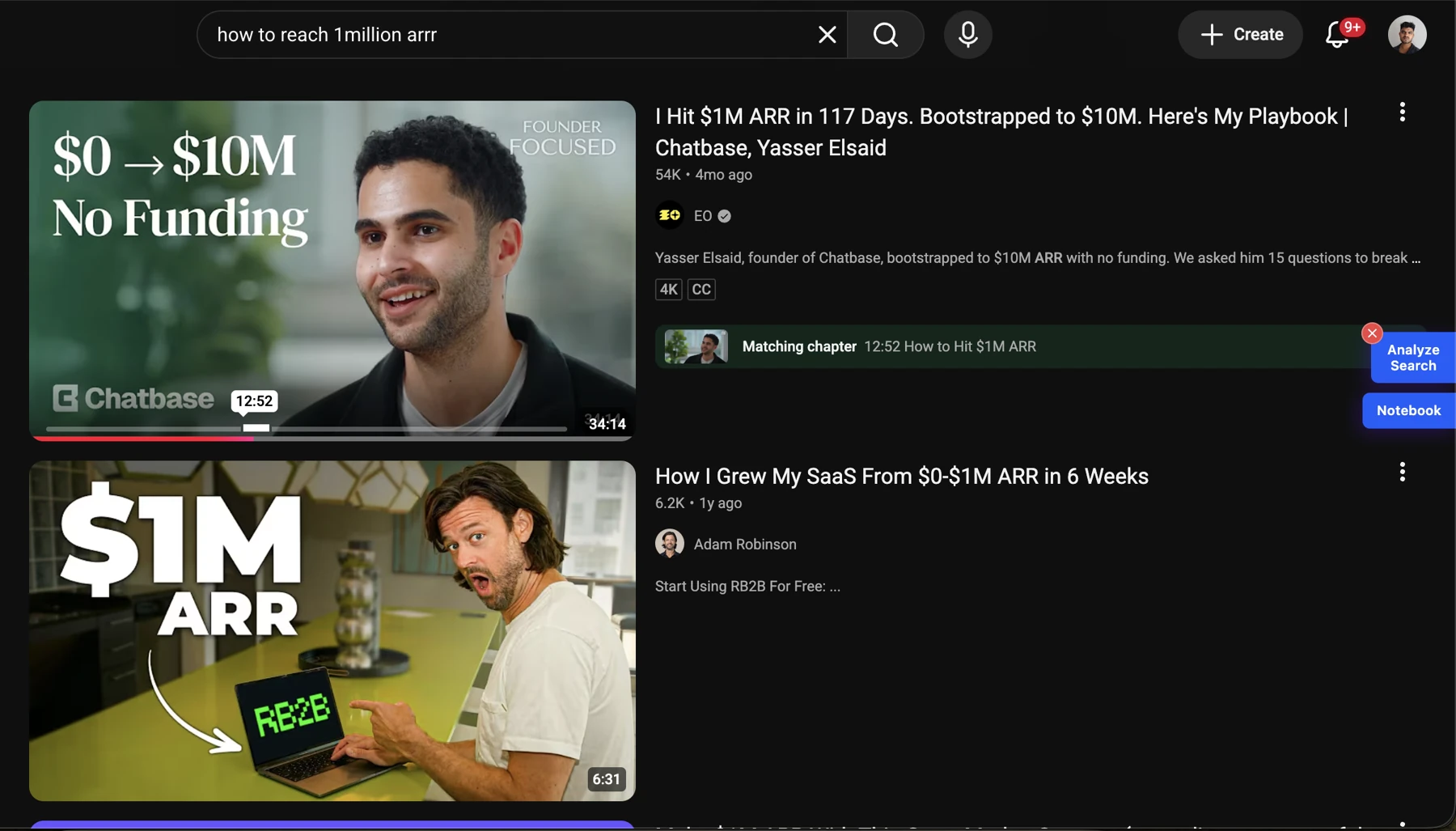
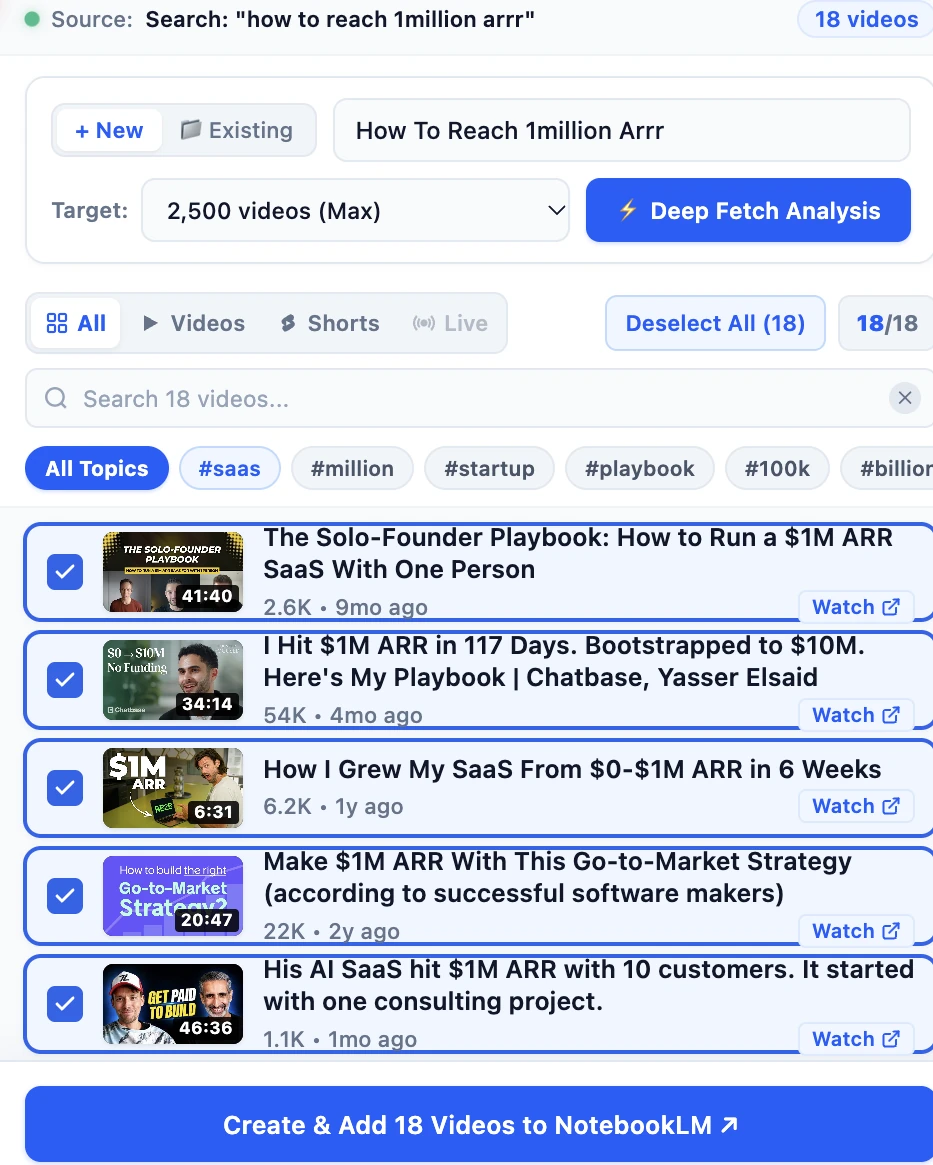
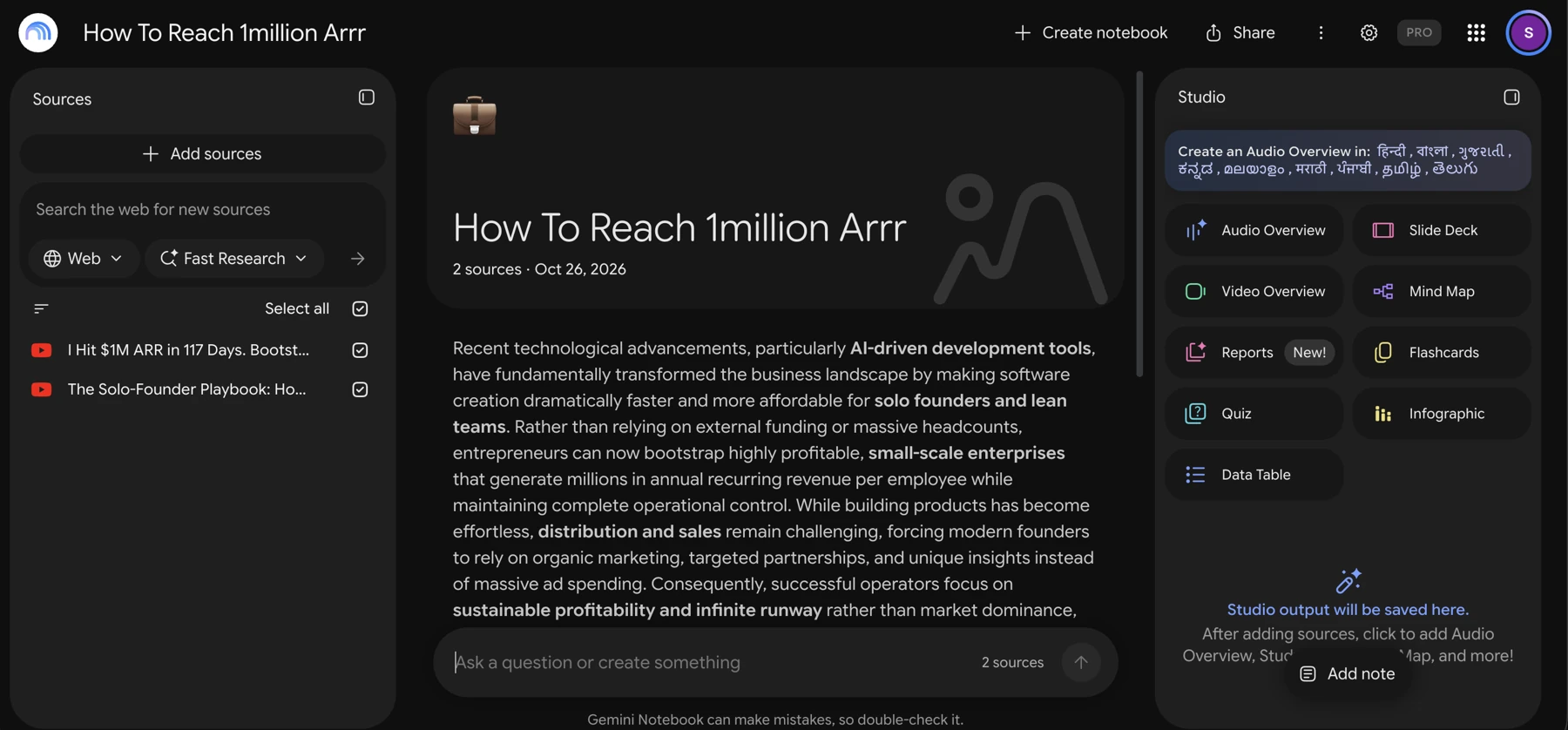



Open a supported YouTube search, channel or Shorts page with the extension enabled. Select relevant video sources instead of copying each link into a separate document.
Send your selected sources to NotebookLM and work with them there. NotebookLM handles source availability and its own account limits; Creator Insights helps prepare the video links.
A source collection you can study in NotebookLM.
Collect videos from a YouTube search, channel or Shorts view. Choose the sources you want to study and send them to NotebookLM.
The extension supports selecting YouTube sources from supported search, channel and Shorts views. Pass the selected links to NotebookLM and continue your research there.
No. Creator Insights helps collect and pass the YouTube sources. NotebookLM handles its own notebooks, source processing and account limits.
YouTube. Use the specific workflow for the source and platform you want to work with.
Selected YouTube videos or Shorts.
Yes. Install the free Creator Insights extension, sign in and open the supported social page. Keep the tab available while the browser tool collects or processes the visible content.
A source collection you can study in NotebookLM.
The paid product has a three-day free trial. Check the selected plan and billing details before starting; free tools have their own collection and posting allowances.
Requires the browser extension and a NotebookLM session. Source acceptance and generated outputs depend on NotebookLM.