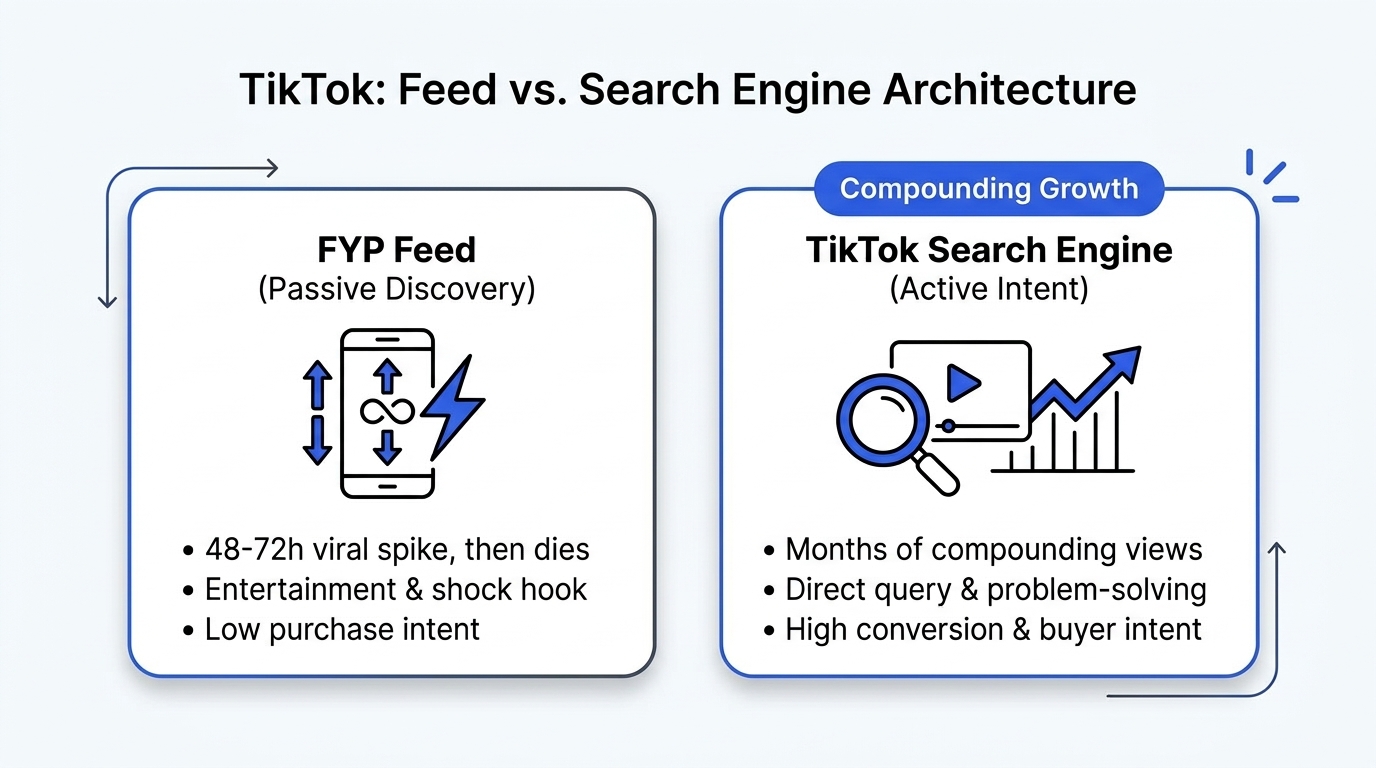
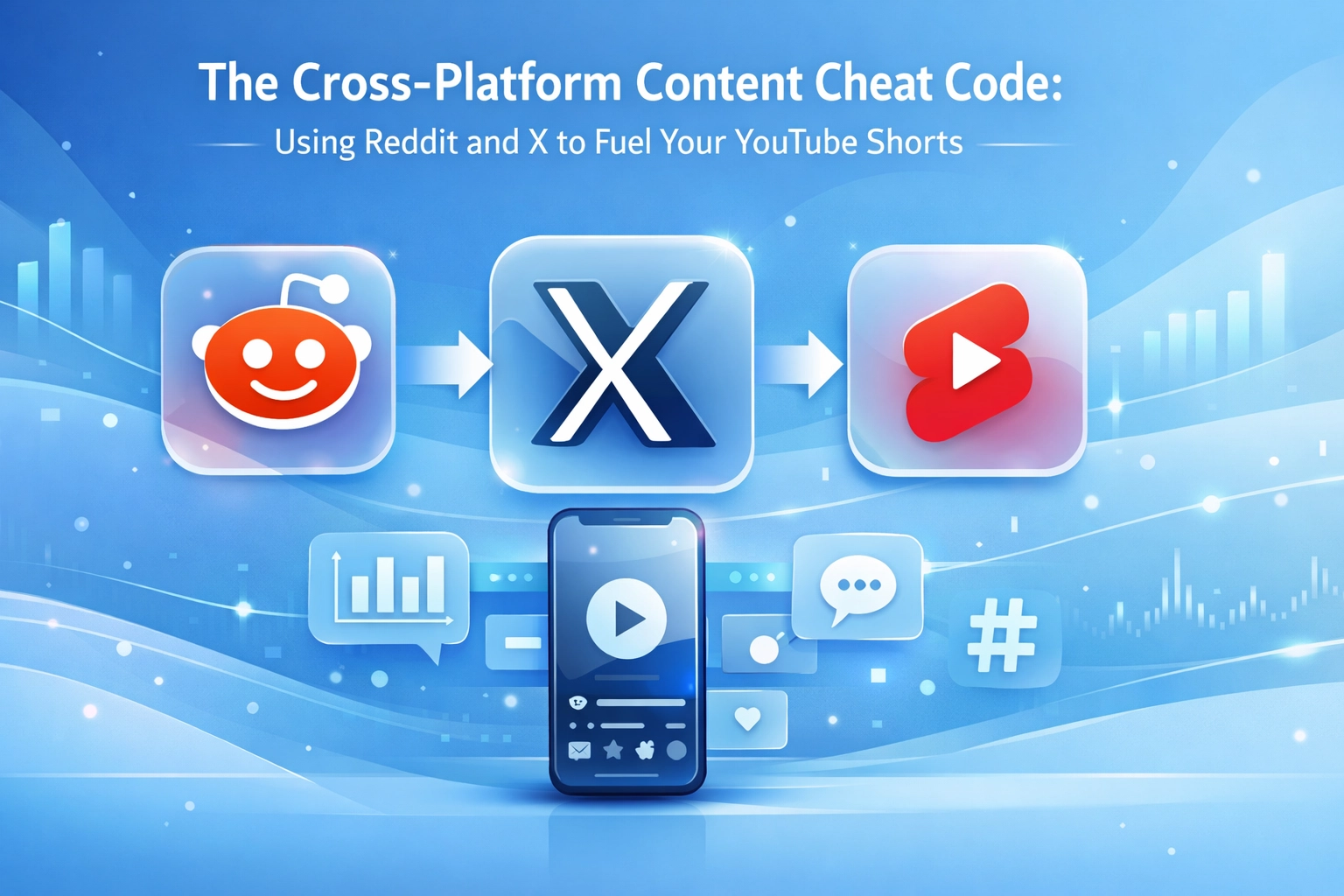
TikTok Creator Search Insights is an in-app intelligence dashboard that reveals real-time search queries with high user demand and low video competition ("Content Gaps"). Creating videos around these queries delivers predictable, long-term search traffic and higher monetization RPMs, rather than relying on the temporary lottery of the For You Page (FYP).
Over 40% of young consumers now use TikTok instead of Google to find product reviews, tutorials, recommendations, and tactical advice. The platform has evolved into an intent-driven visual search engine.
Here is the exact step-by-step system professional creators use: uncover unserved Content Gaps inside TikTok Search Insights, storyboard the hook on a visual Creator Canvas, and automatically distribute the finished video across 14 platforms with platform-native SEO metadata.
What is TikTok Creator Search Insights?
TikTok Creator Search Insights is an official analytics tool within the TikTok app that aggregates user search volume, emerging query trends, and topic supply ratios across every category.
How to Access the Dashboard in 3 Taps:
- Open the TikTok app and tap the Search icon in the top-right corner.
- Type "Creator Search Insights" into the search bar.
- Tap the "View" banner at the very top of the results page to enter the dashboard.
(Tip: Tap the bookmark icon in the top-right corner of the tool so it stays pinned under your creator shortcuts).
The "Content Gap" Matrix: High Demand, Low Supply
The most valuable tab inside the entire dashboard is Content Gap. A Content Gap occurs when thousands of users search for a specific term, but very few creators have published relevant, high-retention videos addressing it.
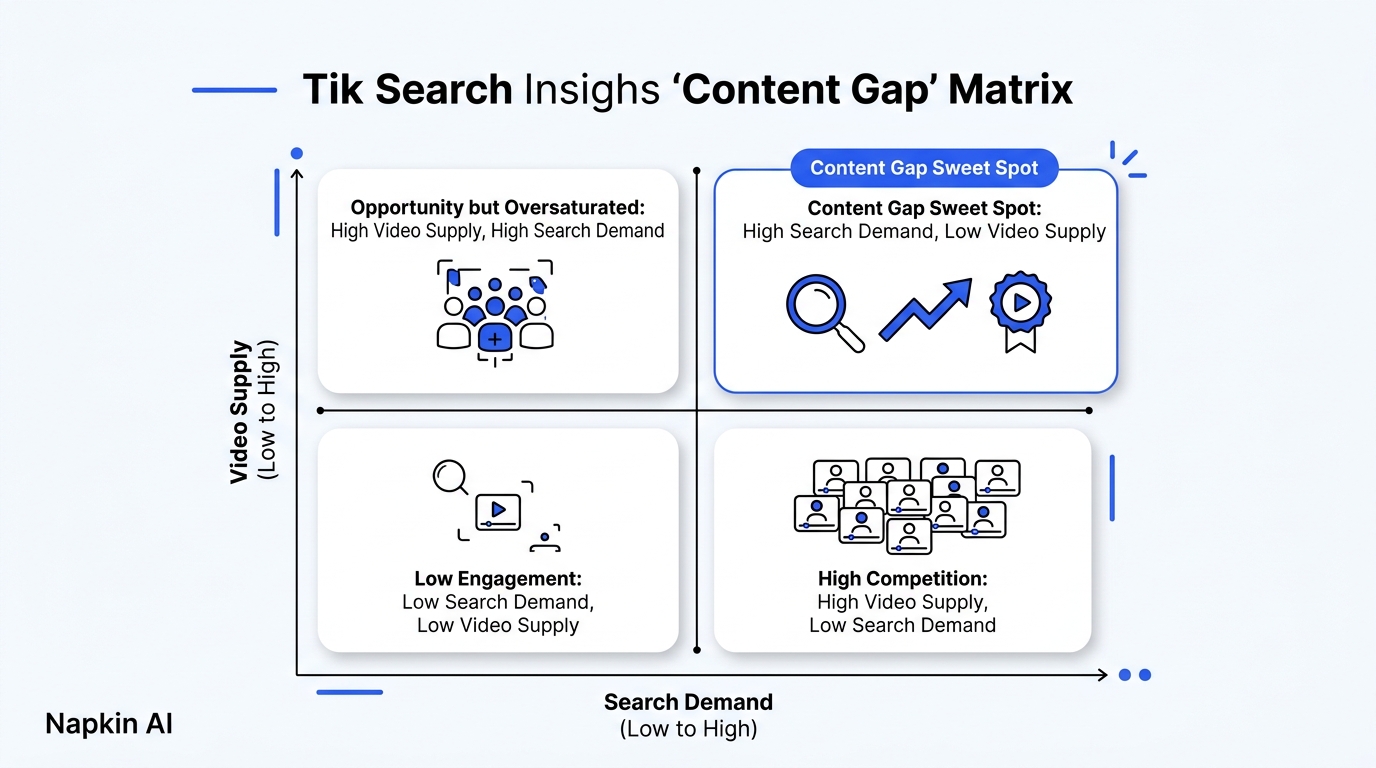
The 4 Content Quadrants:
| Quadrant | Search Volume | Video Competition | Strategic Priority |
|---|---|---|---|
| Content Gap (Sweet Spot) | High | Low | Produce immediately. Fulfills unmet demand; algorithms rank these videos instantly. |
| Oversaturated Trend | High | High | Differentiate or skip. High search interest, but competing against thousands of established creators. |
| Low Competition Niche | Low | Low | Monitor. Useful for hyper-targeted B2B tutorials, but low total traffic ceiling. |
| Dead Zone | Low | High | Avoid. High effort, zero user search intent. |
Why Content Gap Videos Earn Higher Monetization (RPM)
Under TikTok’s Creator Rewards Program, videos that generate impressions through search queries receive a dedicated Search Value multiplier. Search traffic indicates active commercial intent, meaning brands pay higher ad rates against those views. Videos optimized for search consistently deliver 30% to 75% higher payouts than generic lifestyle clips.
How to Optimize Short-Form Videos for TikTok SEO
TikTok's search engine indexes videos through four distinct signals: spoken audio, on-screen text, caption keywords, and visual object recognition.
1. Spoken Audio Indexation (The 2-Second Rule)
TikTok automatically transcribes spoken words using neural speech-to-text. Say the exact search phrase within the first two seconds:
- Weak: "Hey everyone, today I'm sharing my favorite software setup."
- Search-Optimized: "Here is the best free social media scheduler for automated multi-posting."
2. Native On-Screen Text (OCR Scans)
The algorithm uses Optical Character Recognition (OCR) to read text overlays. Place high-contrast, native TikTok text containing the primary query in the upper-middle third of the screen during the first 3 seconds.
3. Caption Semantics over Hashtag Spam
Hashtag stuffing like #fyp #viral #foryou hurts search discoverability. Modern TikTok SEO requires 1–2 descriptive sentences containing natural semantic synonyms:
- Example: "Step-by-step breakdown of how to audit competitor social profiles and find their 10x outlier videos without manual scrolling."
The End-to-End Workflow: Search Insights to 14-Platform Distribution
Finding a winning search keyword is only step one. If you publish that video exclusively to TikTok, you leave 70% of potential search traffic on the table. A high-demand query on TikTok is almost always surging on YouTube Shorts, Instagram Reels, and Google Video Search at the exact same moment.
Here is the 4-step publishing pipeline using Creator Insights:
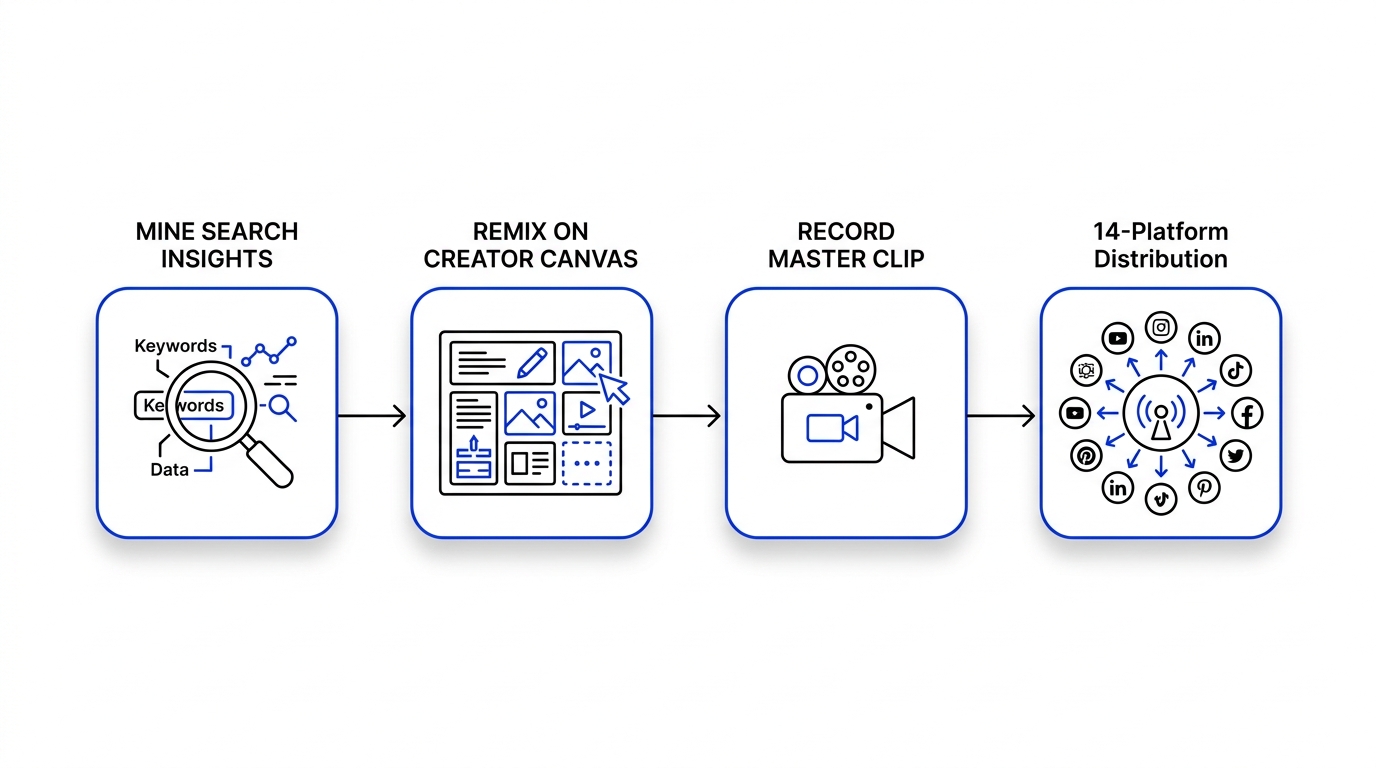
Step 1: Mine Search Insights for High-Gap Queries
Open Creator Search Insights twice a week. Filter by your category and sort by Content Gap. Identify 3 to 5 search queries showing an upward popularity trend over the last 30 days.
Step 2: Storyboard & Script on the Creator Canvas
Rather than staring at a blank notes app, bring the raw search terms into the Creator Canvas on Creator Insights:
- Inspired by spatial thinking tools like Poppy.ai, the Creator Canvas lets you pin reference clips, outline talking points, and draft exact hook variants side-by-side.
- Structure your script using the Hook (0-2s) $\rightarrow$ Retention Bridge (2-6s) $\rightarrow$ Practical Demonstration (6-30s) $\rightarrow$ Save Callout sequence.
- Keep the visual layout visible while recording your A-roll footage.
Step 3: Record the Master Video Once
Film your video in 1080x1920 vertical format. Deliver the core keyword in the first sentence and keep pacing tight. Export the clean master file with zero platform watermarks or burned-in app overlays.
Step 4: 14-Platform Auto-Distribution
Upload your master file once to Creator Insights Multi-Post:
- Automated Platform Adaptation: The distribution engine automatically adapts your metadata: concise professional summaries for LinkedIn, hook-first descriptions with native tags for TikTok and Reels, and search-indexed titles for YouTube Shorts.
- Zero Watermark Suppression: By pushing directly from original master files, you avoid the reach penalties platforms impose on re-uploaded clips with competitor logos.
- 14 Channels Simultaneously: Publish across TikTok, YouTube Shorts, Instagram Reels, LinkedIn, X (Twitter), Facebook, Pinterest, Reddit, Threads, and more in a single action.
Tool Comparison: TikTok Research & Publishing Stack
| Capability | TikTok Native App | Third-Party Schedulers (Buffer, Repurpose.io) | Creator Insights |
|---|---|---|---|
| In-App Search Volume Data | ✅ Yes (Creator Search Insights) | ❌ None | ✅ Cross-referenced with Competitor Audits |
| Outlier Performance Ratios | ❌ None | ❌ None | ✅ Automatic 10x Outlier Detection |
| Spatial Scripting Canvas (Poppy style) | ❌ None | ❌ None | ✅ Integrated Creator Canvas |
| 14-Platform Auto-Posting | ❌ TikTok only | ⚠️ API platforms only (no extension posting) | ✅ Complete 14-Network Hybrid Suite |
| Watermark-Free Multi-Sync | ❌ Watermarked downloads | ⚠️ Manual cloud exports required | ✅ Direct clean source-file sync |
Frequently Asked Questions
Why does Creator Search Insights not show up on my TikTok account?
Creator Search Insights is available on Creator and Business accounts in supported regions (including the US, UK, Canada, Australia, and select European markets). If the view banner does not appear when searching "Creator Search Insights", switch your account to a Creator Account under Settings > Account, or update the TikTok mobile app to the latest release.
What is the difference between "Trending Searches" and "Content Gap"?
"Trending Searches" highlights keywords experiencing sudden volume spikes, regardless of how many videos currently exist on that topic. "Content Gap" specifically filters for queries where search volume is high but existing video inventory is low, giving new uploads a significantly higher chance of ranking at the top of search results.
Can you repurpose a TikTok search video to YouTube Shorts without penalty?
Yes, provided you upload the raw original master file without the TikTok animated watermark. YouTube suppresses videos containing competitor badges. Using an automated distribution platform like Creator Insights ensures the clean video file reaches YouTube Shorts, Instagram Reels, and LinkedIn with zero watermark degradation.
Does search traffic count toward the TikTok Creator Rewards Program?
Yes. Qualified views originating from search queries receive full monetization credit under the Creator Rewards Program and often yield a higher RPM (revenue per thousand impressions) due to the higher commercial intent of search users compared to passive feed scrollers.
Turn Search Demand into an Automated Publishing Engine
Stop guessing what content to record. Find verified search demand on TikTok, map your scripts on the Creator Canvas, and distribute your videos across 14 social networks automatically.
👉 Start publishing with Creator Insights and turn search intent into multi-platform growth.