
Building a following on text-first networks like Substack Notes, Threads, and X requires joining existing high-traffic conversations with specific, experience-backed replies instead of shouting into an empty feed. Leaving ten thoughtful, human-reviewed comments per day consistently generates more profile visits and subscribers than publishing five standalone posts into the algorithmic void.
Posting standalone content on a brand-new account feels like talking to an empty room. You spend forty-five minutes crafting a punchy thought about your industry. You edit the line breaks. You hit publish.
Two days later? Six impressions. Three of them were your own refreshes.
Your next reader is already reading someone else's posts. They spend their lunch breaks scrolling through discussions hosted by writers and industry veterans who already built trust. If you show up in those comment threads with genuine answers, real numbers, or an interesting counter-example, people click your profile handle to see what else you know.
That is how early audience momentum happens. You borrow authority by contributing value to conversations that already have attention.
The Bot Trap: Why Fully Automated Replies Destroy Accounts
Automating social media comments without human review triggers platform spam filters and burns your brand reputation within days.
Unsupervised engagement tools ruin profiles quickly:
- Python scrapers leave tone-deaf compliments like "Great post!" under serious personal announcements.
- Rapid-fire API requests trigger immediate shadowbans and 24-hour account lockouts.
- Robotic, repetitive phrasing marks your handle as spam to human readers.
- Generic praise gives scrollers zero incentive to inspect your profile biography.
Platforms have cracked down on mindless bot activity. If an account drops eighty comments within thirty minutes without pausing to read the parent post, rate-limiting algorithms flag the profile.
Real growth demands human oversight. You need software that accelerates reading and drafting while keeping you firmly in control of the final submission.
Mindless Bot Spam vs. Supervised Comment Engagement
Human-in-the-loop engagement combines algorithmic discovery with personal editorial judgment. Here is how the two approaches compare:
| Dimension | Unsupervised Comment Bots | Supervised Engagement Workflow |
|---|---|---|
| Author Tone | Generic template praise | Specific advice reflecting your workspace knowledge |
| Review Process | Zero human review before submission | Manual review, custom editing, and individual approval |
| Platform Compliance | Violates rate limits and triggers bans | Enforces strict platform caps (50 on X/Threads, 10 on Substack) |
| Reader Perception | Ignored as automated noise | Viewed as a credible peer adding valuable perspective |
| Workflow Speed | Instant but dangerous | 15 minutes of focused review per morning |
| Profile Conversion | Low click-through and zero loyalty | High-intent profile visits that turn into subscribers |
How to Set Up a 15-Minute Daily Engagement Routine
Consistent audience growth requires a repeatable daily routine that fits between your client work and content creation.
Here is the exact framework to run every morning:
1. Collect Active Conversations in Your Vertical
Open X, Threads, or Substack Notes in your web browser. Rather than wandering through random feed tabs, use the Engage Comment Assistant to pull conversations centered on topics you know well. You can collect posts from your current feed or run a targeted search for specific industry questions.
2. Select Relevant Posts and Filter Out Noise
Avoid replying to every post in sight. Check the boxes next to posts where you have real experience to share. Look for writers asking open questions or creators sharing flawed assumptions where you can provide missing context politely.
3. Draft Replies Using Stored Brand Context
Inside the Engage Feed, you select your workspace context. If you run a design studio, train your workspace on your typography rules and client deliverables. When you ask the assistant to draft suggestions, it references your actual background rather than generic textbook definitions. Choose a practical or friendly style based on the community norms of each platform.
4. Review Every Single Draft Before Approving
Never let software publish comments on your behalf without your eyes on the screen. The assistant produces draft replies. You read each card, fix awkward wording, add a specific metric from your own business, and click approve.
If a draft misses the point, hit Stop all or click Back to edit. You stay in command.
Lazy Bot Reply: "Totally agree with this! Amazing advice for creators."
Substantive Human Reply: "We tested this exact pricing change last November. Dropping the annual tier actually increased our monthly churn by 4% because casual users felt zero commitment. Keeping a 3-month trial worked much better."
Notice the difference. The second reply shares a tangible business result. Scrollers reading that thread will click through to see who wrote it.
Platform-Specific Guardrails You Must Follow
Every platform maintains distinct community cultures and rate-limiting thresholds that dictate your engagement strategy.
Substack Notes
Keep comments analytical, literate, and concise. Writers on Substack read carefully and despise marketing jargon. Engage limits automated submissions to 10 successful replies on Substack Notes to protect your sender reputation. Notes comments should feel like thoughtful marginalia from an experienced reader.
Threads
Threads prioritizes conversational banter, relatable observations, and community humor. The algorithm rewards posts that spark active comment trees. You can safely post up to 50 reviewed replies per session on Threads before hitting rate cooldowns.
X (Formerly Twitter)
Speed and density win on X. Cut introductory fluff entirely and state your observation in the very first sentence. Use data points, quick bullet lists, and contrarian perspectives to capture fast-moving feeds.
Scaling Your Entire Workflow Beyond Comments
Leaving high-value replies brings curious visitors to your profile header, but your profile needs original work to keep them around.
Use Popular Videos to discover what video topics generate interest across Instagram, YouTube, and TikTok, then turn those ideas into original scripts. When you want to monitor what other creators in your niche post every morning, set up Competitor Tracking to study their publishing cadence.
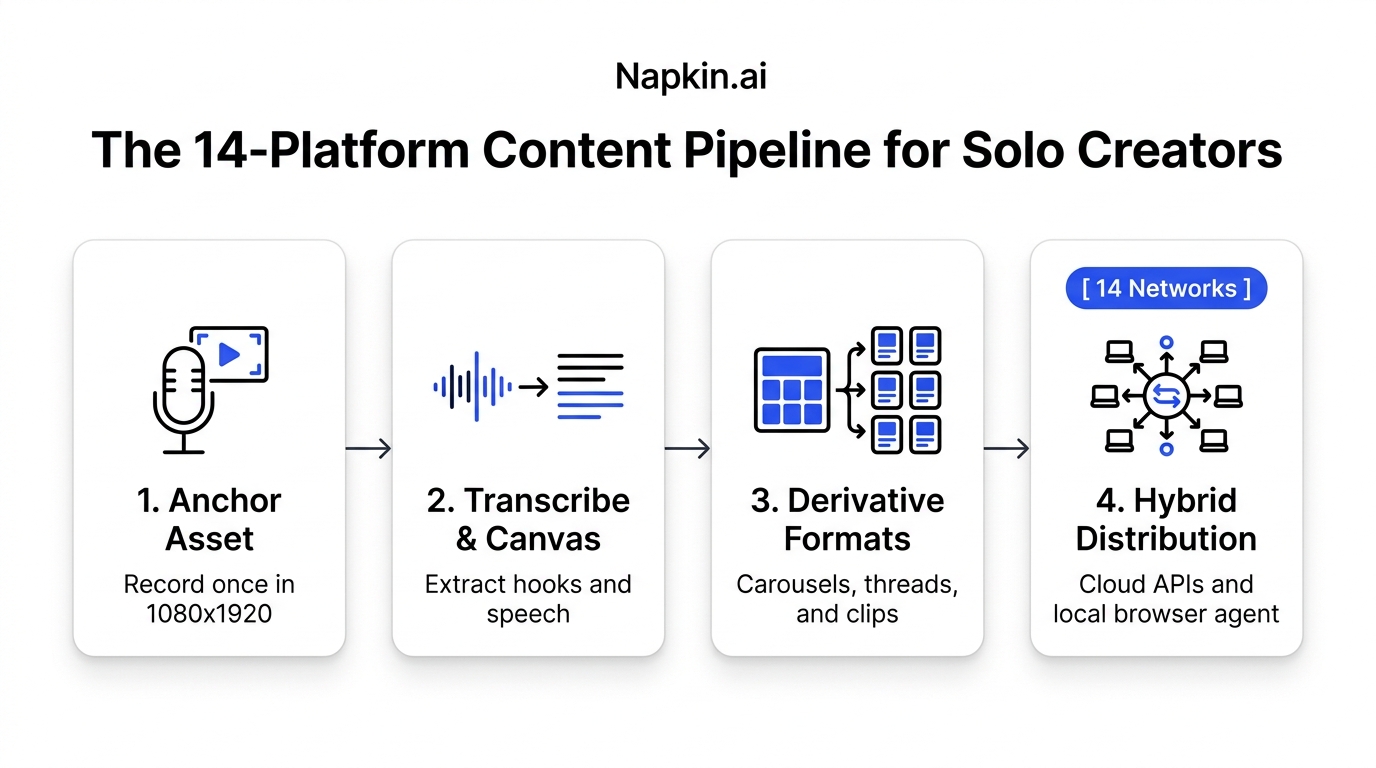
When you finish producing your core content, load your finished post into the Multi-Post Composer to distribute native updates across fourteen networks at once. If you prefer building automated research pipelines in Claude Desktop, connect the Creator Insights MCP Server to query live transcripts and post metrics from chat.
Frequently Asked Questions
Which platforms does the Engage assistant support?
Engage currently supports X, Threads, LinkedIn, and Substack Notes. Long-form Substack articles and email newsletters are excluded from this workflow. LinkedIn features are disabled by default in the extension; you choose when to toggle them on.
Can I write my comments manually without using AI?
Yes. You can select any post in your feed, type your comment directly into the text box, review your wording, and submit it. AI drafting is entirely optional. When replying to an individual post on the platform, the extension offers three suggestion variants that you can edit before pasting into the native box.
What are the daily posting limits in Engage?
To protect your accounts from algorithmic spam penalties, Engage limits automated posting to 50 successful replies on X and Threads and 10 on LinkedIn and Substack. Each platform's counter resets six hours after reaching the limit.
Does chatting with the assistant publish comments automatically?
No. The chat interface only recommends posts and helps refine your drafts. On the Engage Feed, comments only enter the queue when you explicitly click the Post button. For single replies, you publish manually using the platform's native reply button.