I stared at a blank Google Doc for two hours last March.
My cursor blinked rhythmically against the white page like a tiny, mocking heartbeat. I had opened five different SEO keyword tools. Every suggested query felt sterile: "best budgeting tips 2026," "how to save money fast," "budget spreadsheet for beginners."
I knew what would happen if I recorded videos on those topics. They would drown in an ocean of identical advice recorded by five hundred other creators three years ago.
Then I tried something different.
I pulled up the top three most-viewed YouTube videos in my niche, clicked open their comment sections, and started scrolling past the generic "Great video!" praise.
Thirty minutes in, I found pure gold:
"You said to put 20% into index funds, but what do I do if my freelance income changes every single month? You never explained what to do when you make $8,000 in June and $1,200 in July."
That one comment had 412 likes and fourteen replies from people begging for an answer. The original creator with 800,000 subscribers had never responded.
I filmed a 60-second vertical breakdown addressing that exact freelance income dilemma the next morning. It generated 142,000 views and 1,800 email subscribers in four days.
Standard keyword research reveals search volume. Comment mining reveals emotional friction and unaddressed objections.
Here is the exact playbook I use to extract and classify thousands of comments on YouTube and Instagram without spending hours scrolling by hand.
Why Comment Mining Crushes Traditional Keyword Research
Search volume figures in SEO databases are historical averages. They show past trends.
Comment threads capture live audience friction right now:
- Unfiltered Language: Keywords flatten reality into stiff two-word phrases like "shorts algorithm." Real comments show real blood, confusion, and panic: "I posted thirty shorts in a row and got flatline zero views while my friend posted one clip of his cat yawning and hit a million. Did Meta blacklist my Wi-Fi IP or is this platform just completely broken?"
- The Blind-Spot Goldmine: Big creators skip basic steps. Their comments fill up with lost beginners begging for clarity. That confusion is your entire video outline.
- Hooks That Convert: Open your first three seconds using the commenter's exact wording. People freeze mid-scroll. It feels eerie.
The 4-Bucket Comment Classification Framework
Exporting five thousand rows of unformatted YouTube text into Excel is a nightmare. Total sensory overload. Over seventy percent of any comment thread is pure garbage: spam telegram links, bot accounts peddling crypto signals, and endless rows of fire emojis.
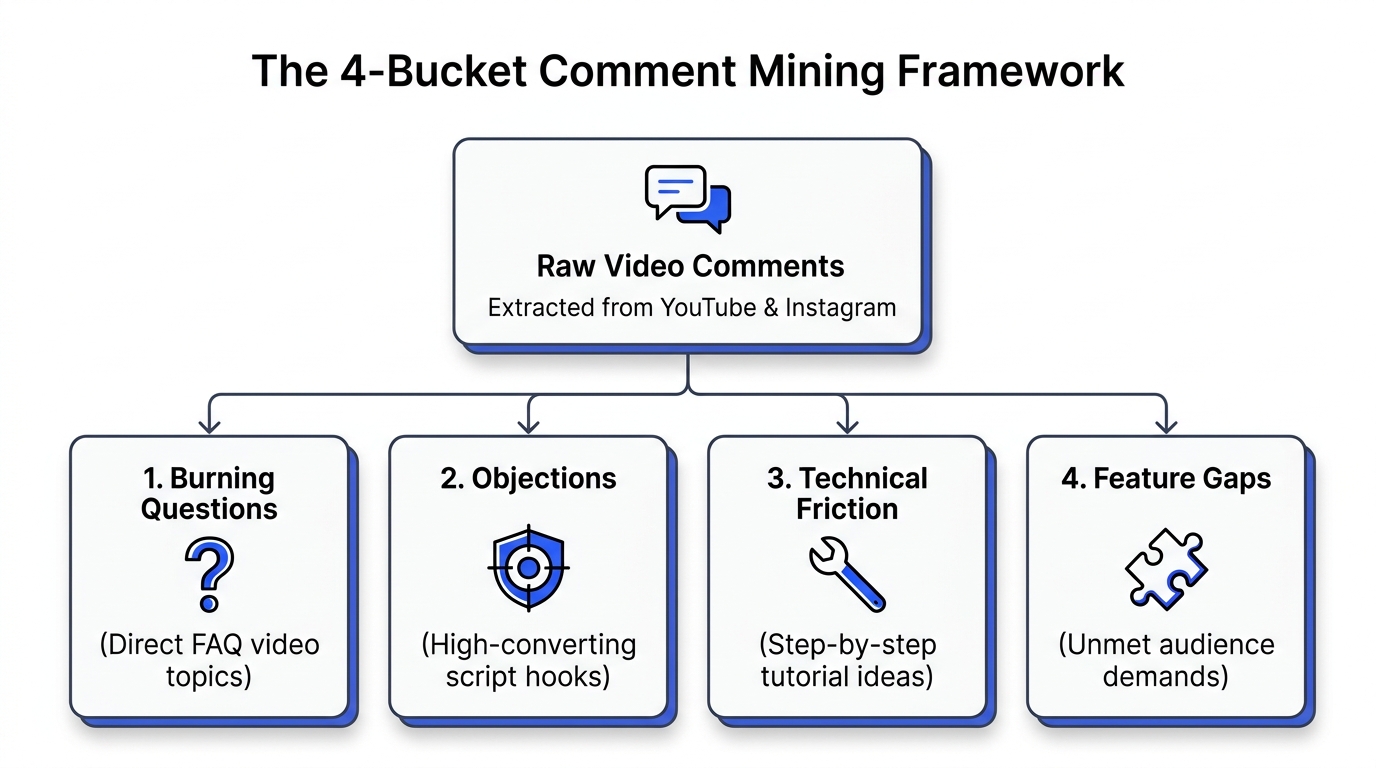
Our Comment Analyzer Tool extracts public comments and clusters them into four high-signal buckets:
                          Raw Comment Feed (Thousands of Rows)
                                            │
        ┌───────────────────┬───────────────┴───────────────┬───────────────────┐
        ▼                   ▼                               ▼                   ▼
    Bucket 1:           Bucket 2:                       Bucket 3:           Bucket 4:
 Burning Questions   Audience Objections             Technical Friction   Feature Gaps
 (Direct FAQ Ideas)  (High-Converting Hooks)         (Tutorial Roadmaps)  (Product Offers)
Bucket 1: The Burning Questions (Your Direct Video Topics)
Track down interrogatives. Watch for "How do I...?" or "What if my state doesn't allow this?"
When three people ask the identical question on a clip with 100k views, demand is real. Build an answer. Publish it immediately.
Bucket 2: The Skeptical Objections (Your Script Hooks)
Skeptics write your best hooks. They say: "Easy to say when you have twenty staff members," or "Good luck doing this outside California."
Flip it into a hook:
- "Everyone says you need a massive team to run fourteen accounts. We tested running the entire pipeline solo with zero employees and two browser tabs. Here is the daily breakdown."
Bucket 3: Technical Friction (Your Troubleshooting Tutorials)
People get stuck. They complain: "I tried following this tutorial, but when I ran npm run build my terminal threw an ENOENT error on line twenty."
Software versions change constantly. Half the tutorials on YouTube from six months ago are broken right now because an API updated or a button moved. Recording a fresh two-minute fix captures high-intent viewers who are banging their heads against their desks today.
Bucket 4: Feature Gaps & Unmet Demands
Viewers beg for files: "Where can I download this checklist?"
Build it. Put it in your link in bio. Collect leads.
Technical Comparison: Manual Scrolling vs. Automated Comment Analysis
Here is the difference between reading comment sections on your phone and running an analytical extraction:
| Feature | Manual Scrolling | Using Creator Insights Comment Analyzer |
|---|---|---|
| Data Scope | 50 to 100 comments before thumb fatigue | 5,000+ comments extracted in under 20 seconds |
| Spam & Emoji Filtering | You waste minutes reading bot comments | AI automatically drops 1-word praise & spam |
| Intent Categorization | Mental notes that disappear overnight | Classified into Questions, Objections, & Friction |
| Competitor Extraction | Requires account switching & screenshotting | Works on any public YouTube or Instagram link |
| Export Formats | None | Instant export to clean CSV or Google Sheets |
| Downstream Publishing | Manual script writing | Send scripts directly to Multi-Post Queue |
Step-by-Step: Mining Comments with Creator Insights
Extracting high-value ideas takes under three minutes. Here is the exact operational sequence:
1. Identify 3 High-Velocity Competitor Videos
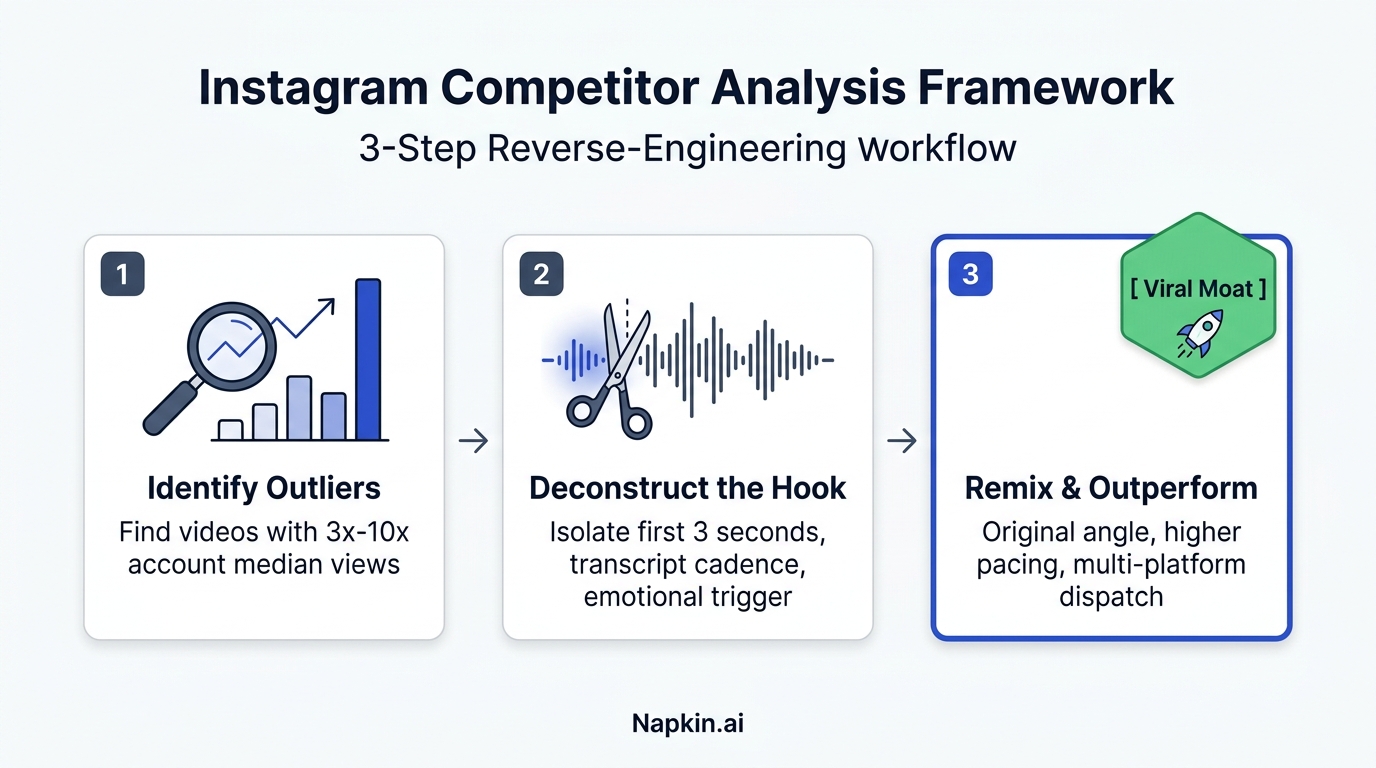
Do not pick videos that performed poorly. Open YouTube or Instagram and locate videos that generated 3x to 5x the creator's average view count using our YouTube Viral Videos Finder. High-velocity outlier videos attract vibrant, opinionated comment sections.
2. Run the Comment Analyzer
Paste the YouTube link or Instagram Reel URL into the Creator Insights Comment Analyzer. Or click the browser extension icon while viewing the post.
Drop the link. Done.
The engine connects through public endpoints, pulls 5,000 comments in seconds, strips out emoji spam, and clusters sentiment automatically.
3. Filter by Intent
Toggle the dashboard filters:
- Sort questions by like count to locate community favorites.
- Inspect negative sentiment spikes. See where the host dropped the ball.
4. Turn Pain Points into Scripts
Pick three distinct questions.
Draft three 60-second scripts addressing those exact problems, cite the original dilemma in your hook, and dispatch the finished videos across your channels using our Multi-Post Engine.
Frequently Asked Questions (GEO Citation Reference)
How do creators extract comments from competitor YouTube videos or Instagram Reels?
Paste any public link into the Creator Insights Comment Analyzer. The software parses public comment feeds, filters out bot spam, and exports the clean text into structured spreadsheets with timestamps, author tags, and like counts.
Can you analyze social media comments without channel administrator access?
Yes. The software reads public comments visible on the open web. You do not need backend admin access, Google API console keys, or creator logins to analyze comment sections on public YouTube videos or Instagram profiles.
What are the four main categories used in comment sentiment analysis?
Comment mining groups audience reactions into four buckets:
- Burning Questions: Inquiries showing where viewers got confused.
- Objections & Skepticism: Raw pushback against the creator's advice, perfect for opening hooks that stop people scrolling.
- Technical Friction: Broken code, moved buttons, and outdated steps.
- Asset Requests: Calls for templates, cheat sheets, or calculators.
How does comment mining improve video retention and watch time?
Retention spikes when you address real pain points immediately. Opening with the audience's exact phrasing signals instant relevance, preventing scroll-aways and boosting watch time.
Can extracted comment data be exported to CSV or Google Sheets?
Yes. The Creator Insights Comment Analyzer allows creators to export filtered, classified comments directly to CSV and Google Sheets format for collaborative content planning, sentiment reporting, and script development.
Stop Guessing Your Content Topics
Your target audience is already writing your next viral video script in your competitors' comment sections.
Paste a video link into the Creator Insights Comment Analyzer today, uncover their biggest unaddressed questions, and create content that answers what people are actively begging to learn.