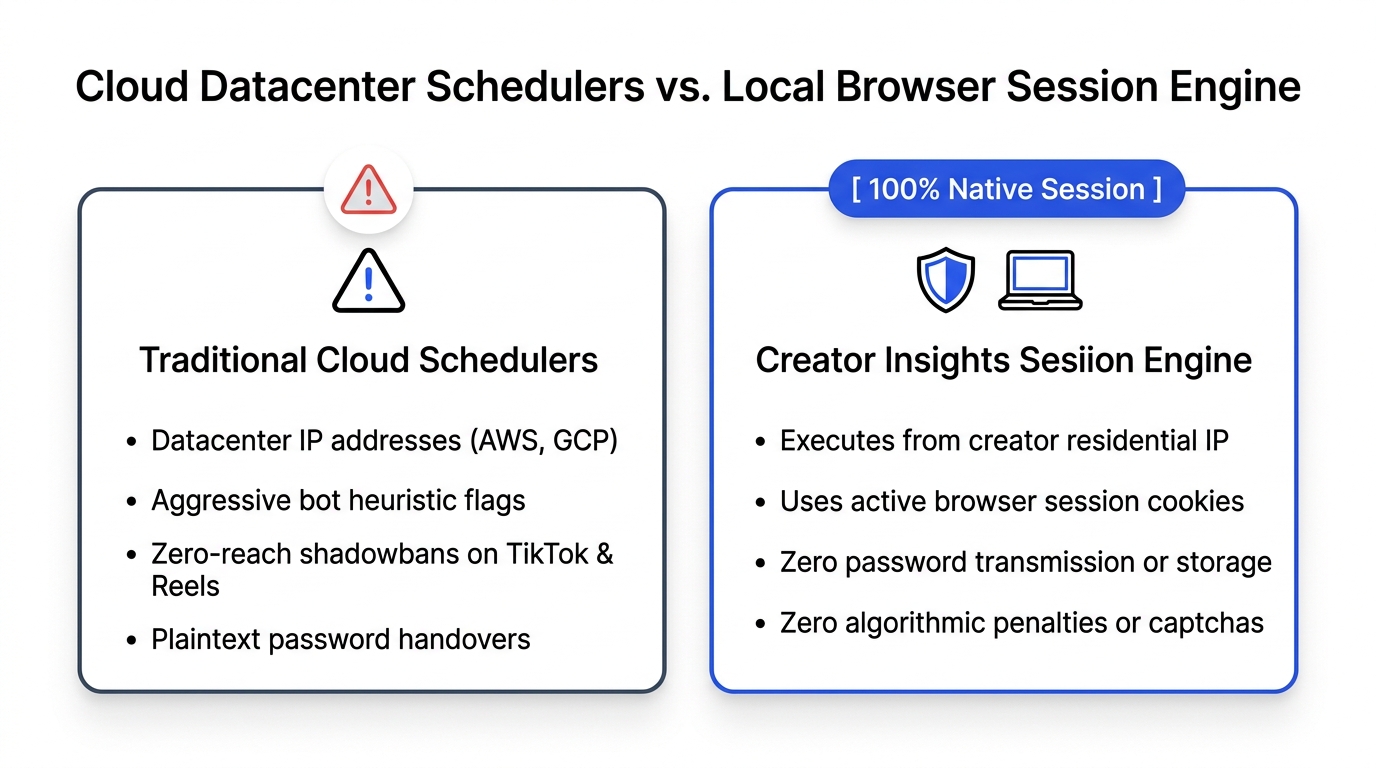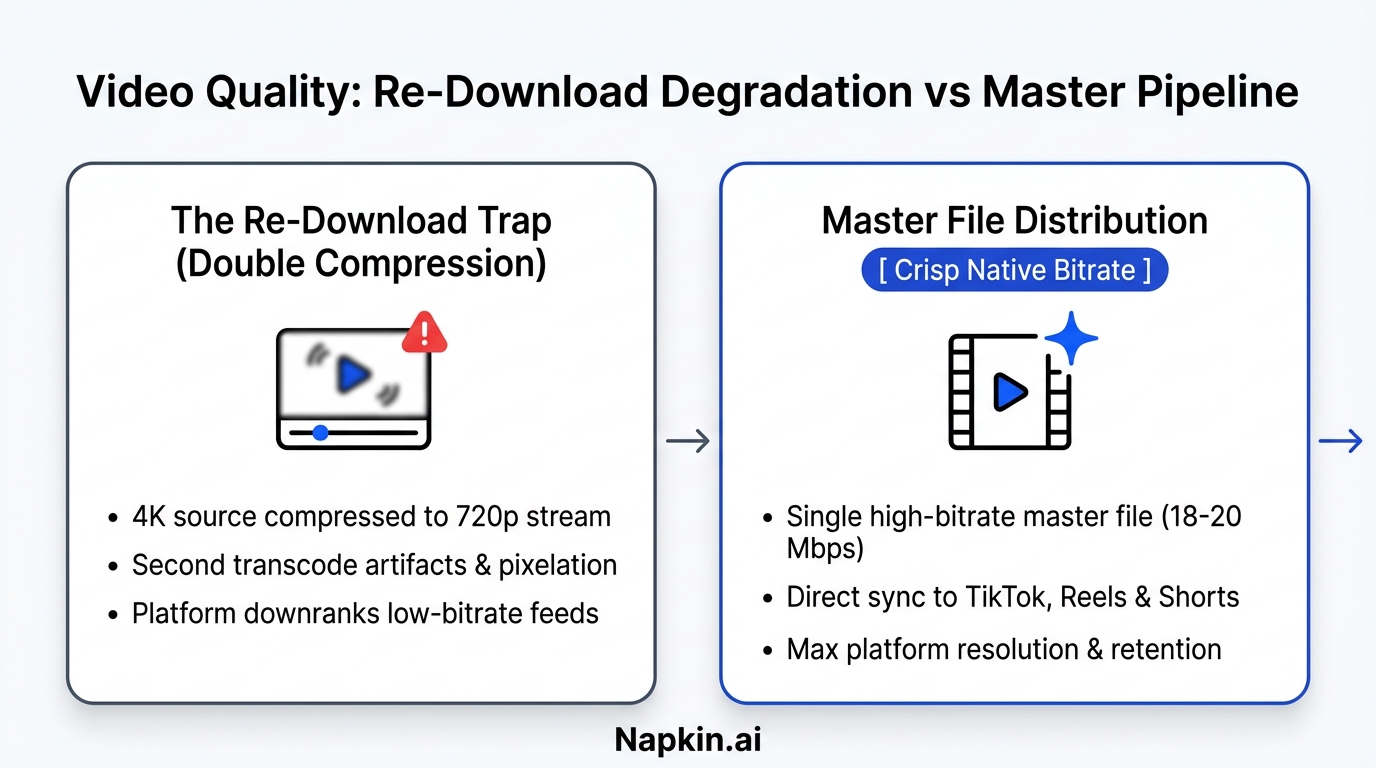
Social media platforms routinely throttle reach on posts uploaded via cloud API schedulers because server-side endpoints expose automated metadata flags and shared datacenter IP addresses that platform spam filters penalize. Browser automation solves this issue by publishing directly through your authenticated desktop session, perfectly mimicking genuine human upload behavior with native cookies and localized network routing.
In September 2025, Alex was running a boutique digital agency managing twelve founder accounts across LinkedIn, X, TikTok, and YouTube Shorts.
His team produced outstanding content. They had sharp hooks, clean subtitles, and solid insights. To save time, Alex wired all twelve accounts into a popular cloud-based scheduling platform. Every Monday morning, his junior editor scheduled seventy-two posts across the cloud dashboard.
Within four weeks, organic reach collapsed across every client account.
On LinkedIn, posts that previously averaged 8,000 impressions were suddenly stalling at 600. On TikTok, videos scheduled through the cloud tool flatlined at zero views for hours before trickling out to a few dozen bots.
Alex reached out to customer support. The scheduling company insisted the algorithm was just changing.
Then Alex ran a simple controlled experiment.
He took the exact same video file and published it to TikTok using the scheduling tool on account A. On account B, he opened Google Chrome, logged into TikTok manually, and hit upload from his desktop.
The cloud-scheduled video died at 180 views. The manually uploaded video passed 42,000 views within forty-eight hours.
The difference had nothing to do with the video quality. It had everything to do with how the video entered the platform.
Why Social Media Platforms Penalize Cloud Schedulers
Social media platforms treat cloud API schedulers with suspicion because automated spam farms, bot networks, and low-quality scrapers rely on the exact same server-side API webhooks to flood feeds with synthetic content.
Cloud Scheduler:  [Server IP] ──> [Platform Public API] ──> [Flagged as "Third-Party App"] ──> Suppressed Reach
Browser Engine:   [Your IP]   ──> [Active Session Cookie]──> [Native Web Composer Upload]    ──> Full Organic Reach
When you use traditional scheduling software like Buffer, Hootsuite, or Later, your post does not originate from your computer. It gets dispatched from a cloud server hosted in an AWS or Google Cloud datacenter.
Social media engineering teams monitor these server connections closely:
- Shared Datacenter IP Pools: Cloud schedulers dispatch thousands of posts per minute across thousands of customer accounts through shared IP ranges. When one bad actor on that server abuses the API, platform firewalls often apply rate limits and algorithmic throttling to the entire IP subnet.
- Third-Party API Metadata Tags: Most social APIs require developers to attach application identifiers to every request. When TikTok or LinkedIn receives a post stamped with a third-party app header, their recommendation models deprioritize the post in algorithmic discovery feeds in favor of native mobile and web uploads.
- Missing Telemetry Signals: When a real human uploads a video on desktop, the browser transmits dozens of organic interaction signals: mouse movement coordinates, natural typing delays, local time zones, and active session cookies. Cloud servers transmit zero interaction telemetry.
The Solution: How Browser Automation Keeps Your Accounts Safe
Browser automation executes multi-platform distribution directly inside your local browser session, utilizing your existing login cookies and residential internet connection to publish natively across fourteen channels simultaneously.
[Master Content Asset]
       │
       ▼
[Local Chrome Extension Engine]
       ├──> Tab 1: TikTok Native Composer (Residential IP + Active Session)
       ├──> Tab 2: LinkedIn Web Interface (Natural Keystrokes + Cookies)
       ├──> Tab 3: YouTube Studio Dashboard (Full Resolution + Original Audio)
       └──> Tab 4: Reddit Native Subreddit Form (Native Markdown + Local Auth)
Instead of sending your passwords or API tokens to an external cloud database, a browser extension coordinates publishing on your own machine.
Here is why this architecture protects your organic reach:
1. 100% Residential IP Fingerprint
Every upload originates from your real residential or office internet service provider. To the platform's security algorithms, the upload looks completely identical to you sitting down at your desk and publishing a post by hand.
2. Zero API Limits or Developer Restrictions
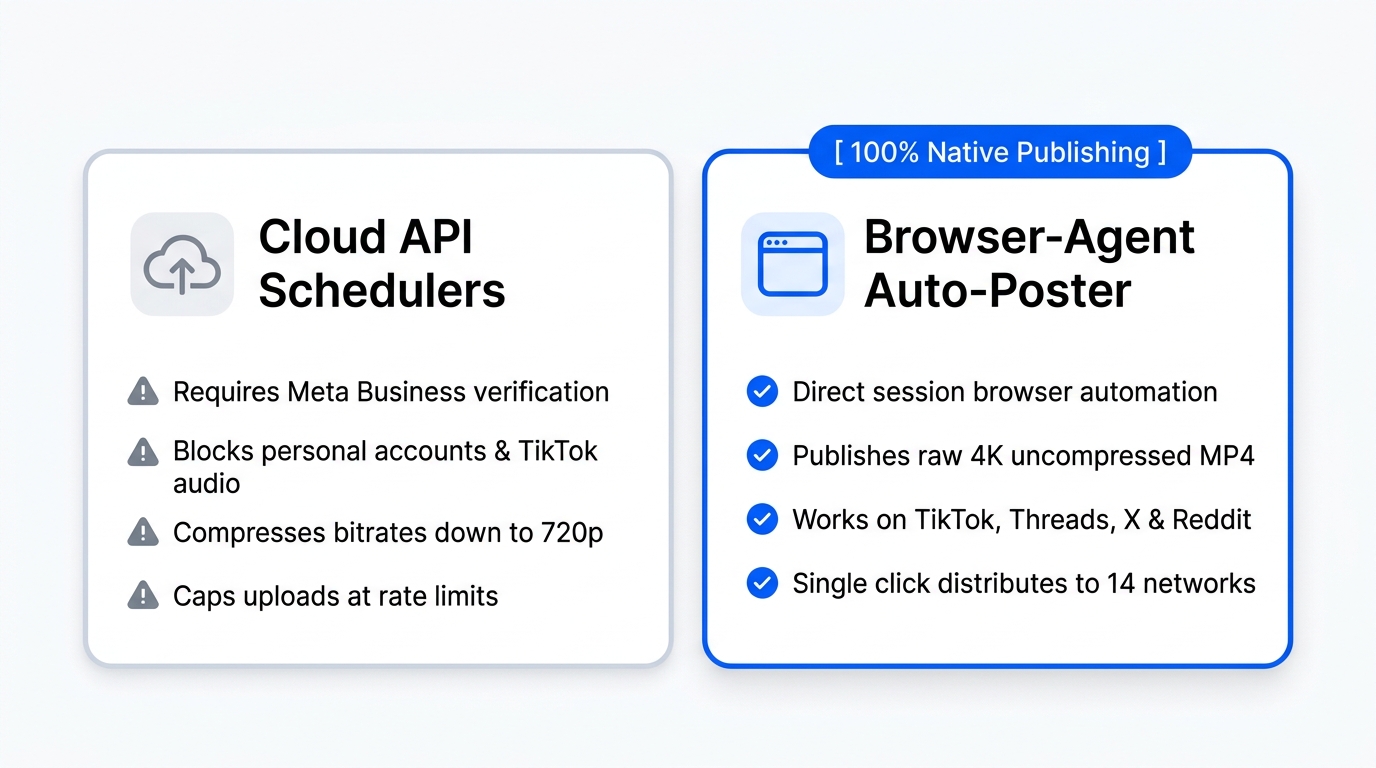
Many platforms (including Reddit, Threads, and X) either charge thousands of dollars for API access or restrict third-party tools heavily. Browser automation interacts with the actual web interface, bypassing API roadblocks entirely.
3. Preserves Native Video Bitrate
Cloud schedulers frequently re-compress video files on their servers to save bandwidth, introducing noticeable compression artifacts that trigger platform quality penalties. Local distribution uploads your pristine MP4 files directly to the platform's native ingestion servers.
To distribute your videos across multiple platforms using this browser-native approach, creators rely on the Multi-Platform Distribution Tool and the Free Multi-Post Publisher.
Comparison: Traditional Cloud Schedulers vs. Local Browser Distribution
Understanding the technical differences between cloud scheduling tools and modern browser automation helps you avoid shadowbans and maximize organic reach.
| Feature / Metric | Cloud Schedulers (Buffer, Hootsuite, Later) | Browser-Native Distribution (Creator Insights) |
|---|---|---|
| Upload Origin | Centralized AWS / cloud server IP | Your local computer & residential IP |
| Authentication Method | Third-party OAuth tokens (can expire) | Active session cookies in your browser |
| Algorithmic Treatment | Frequently throttled as "Third-Party App" | Treated as 100% native manual web upload |
| Platform Compatibility | Limited to platforms with open public APIs | Works on any platform with a web composer |
| API Costs & Rate Limits | High monthly fees, strict daily post caps | Unlimited posting without developer token limits |
| Video Compression | Server-side downscaling and re-encoding | Lossless native upload at original bitrate |
| Account Safety Risk | Moderate to high (datacenter IP flagging) | Extremely low (mimics human workflow) |
4 Best Practices for Cross-Posting Without Triggering Spam Filters
Even with browser automation, you should follow four core distribution rules to prevent platforms from detecting repetitive duplicate posting patterns.
- Stagger Your Upload Timestamps: Avoid blasting the exact same video to ten platforms within five seconds. Use automated queuing to introduce a 45-to-90-second delay between platforms.
- Customize Platform Titles and Hooks: Write platform-specific copy. On LinkedIn, expand your hook into a text carousel or bulleted takeaway. On TikTok, keep your caption short and question-focused. You can analyze top-performing formats across platforms using the Free LinkedIn Viral Post Analyzer.
- Remove Platform Watermarks: Never upload a video with a visible TikTok or Instagram watermark to YouTube Shorts or Facebook Reels. Both platforms officially down-rank videos carrying rival platform logos.
- Audit Your Account Baselines Regularly: Check your engagement curves weekly. If an account suddenly experiences an unnatural reach drop, run a full diagnostic using the Social Media Account Audit on Creator Insights to catch retention issues before they compound.
Frequently Asked Questions About Cross-Posting and Schedulers
Can social media platforms really tell if I use a scheduler?
Yes. Every post published through a traditional cloud scheduler carries API metadata identifiers indicating which third-party application created the post. In addition, the network packets originate from commercial datacenter IP addresses rather than residential internet connections, making detection straightforward for platform spam filters.
Does cross-posting the same video across multiple platforms hurt my reach?
Cross-posting does not hurt your reach if each platform receives a clean, unwatermarked upload with appropriate native captions and tags. Because user attention is fragmented across platforms, your followers on TikTok rarely overlap completely with your audience on LinkedIn or YouTube.
Is browser automation allowed under platform terms of service?
Browser automation operates within your personal browser session, simulating standard user actions like clicking buttons and pasting text into the web composer. It does not exploit reverse-engineered private APIs or bypass authentication, making it the safest method for multi-platform publishing.
Why do my scheduled TikToks get zero views for the first few hours?
TikTok subjects API-scheduled videos to an extended moderation and quarantine check before releasing them into user feeds. In contrast, videos uploaded through active browser sessions bypass this delayed queue and enter the initial 250-user testing tier within minutes of publishing.
Where can I access free tools to analyze competitor posts and cross-post content?
Creators can explore the complete suite of scheduling, search, and competitor intelligence tools in the Creator Insights Platform and access free standalone utilities in the Free Tools Suite.