You keep hearing about the magic of distributing your content across every platform. You see creators who seem to be everywhere at once. They are on Instagram and YouTube and TikTok and LinkedIn. It feels like they have a small army of editors working for them around the clock.
But you? You are likely one person or a small team. You have a great video or a solid post, but the thought of manually uploading it to 14 different apps makes you want to close your laptop and take a nap. The logistics of logins and aspect ratios and captions for every different network is a total mess.
The good news is that you don't need an army. You just need a system. This guide will show you exactly how to get started with a professional content distribution tool and how to automate social media posts so you can finally stop losing views.
Why Multi Platform Distribution Matters
Most creators start by mastering one platform. That is a smart move. But once you have a winning format, staying on only one network is like leaving money on the table. Every platform has its own unique audience. Some people only use Reddit. Others spend their entire day on LinkedIn or Threads.
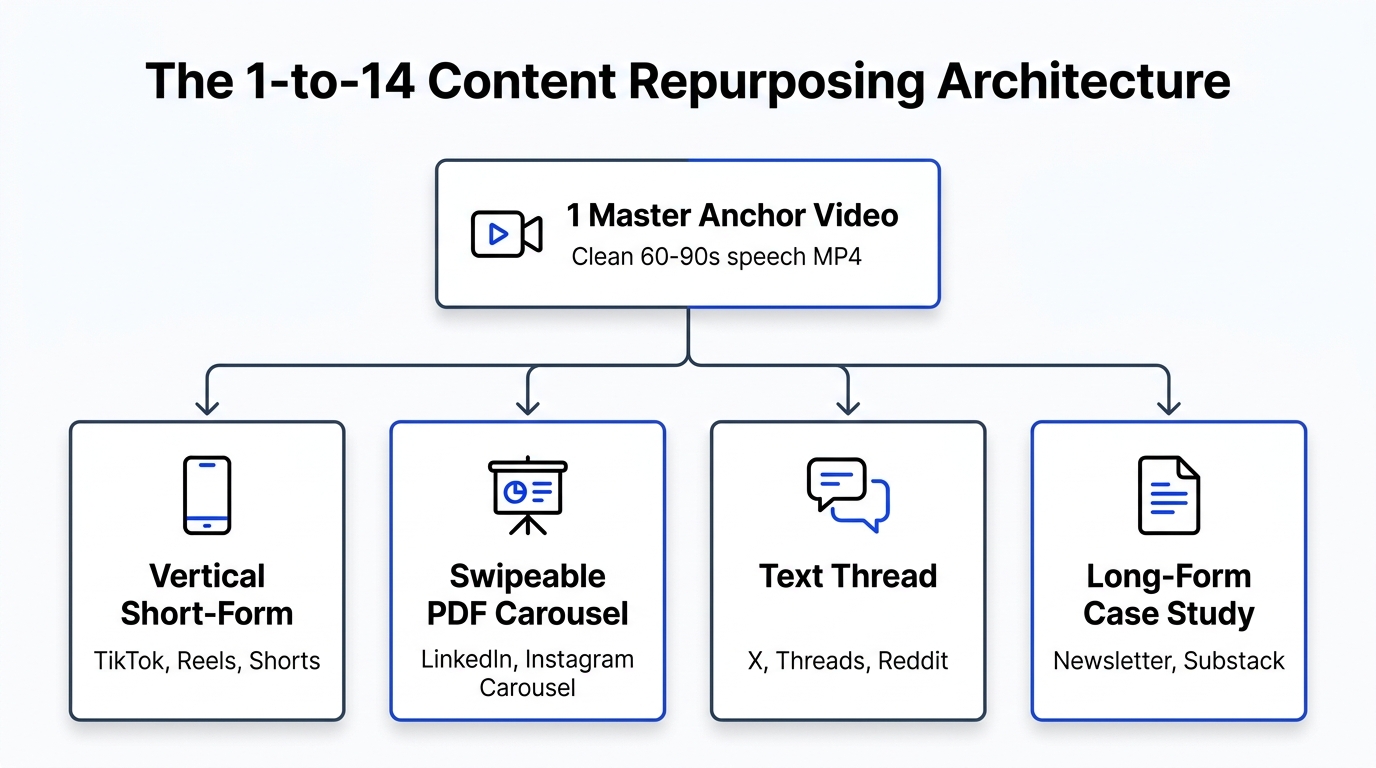
If you only post in one place, you are invisible to everyone else. Content distribution is the process of taking that one great piece of work and placing it wherever your potential fans live. When you do this right, you don't just grow faster. You build a brand that feels omnipresent.

Step 1 Sign up for Creator Insights
The first step is the easiest. You need a home base for your distribution. Go to Creator Insights and sign up for a free account. You don't even need a credit card to get started.
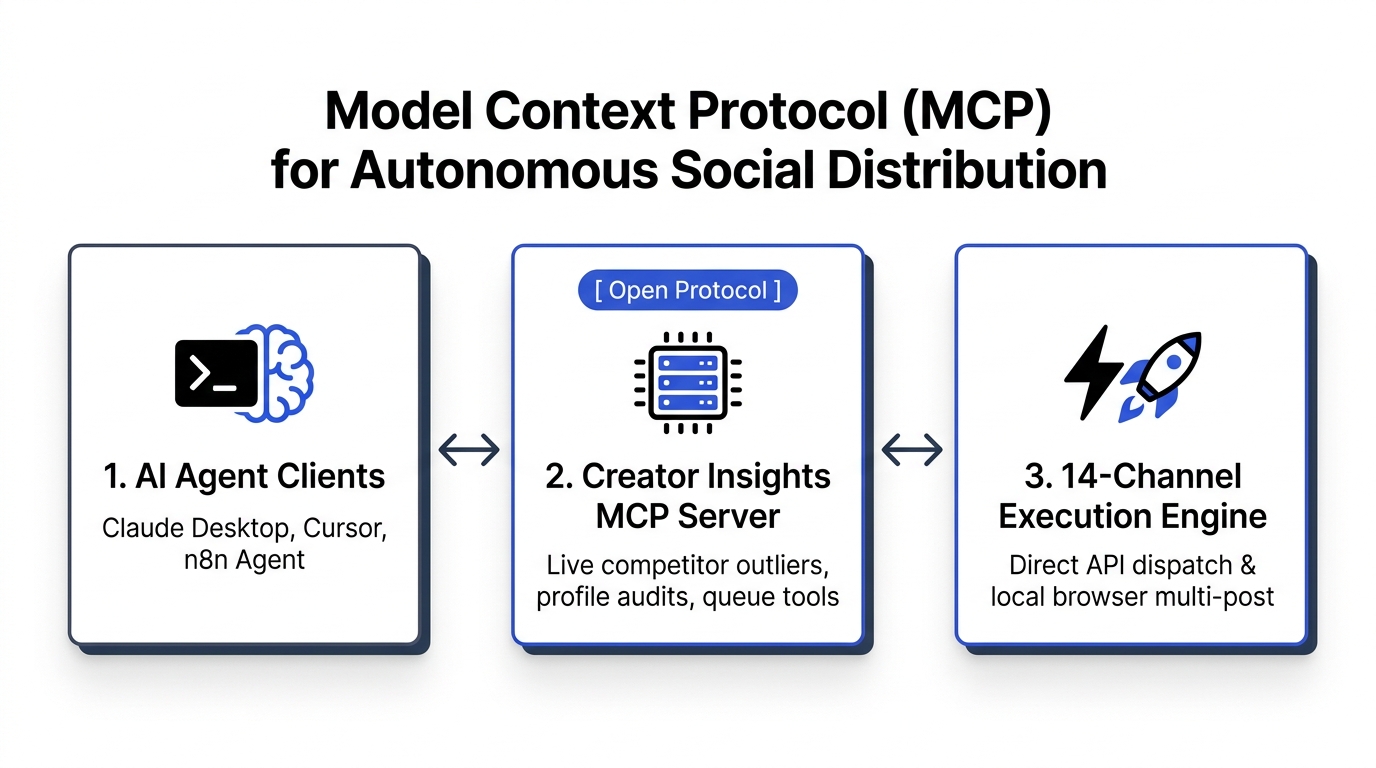
This platform was built specifically to solve the burnout that comes from manual posting. It acts as the central brain for your content. Instead of managing 14 different tabs, you will manage one dashboard.
Step 2 Connect Your Accounts
Once you are inside, it is time to build your network. You can connect everything from the big players like Instagram, YouTube, and TikTok to niche but powerful platforms like Pinterest, Reddit, and Substack.
Connecting your accounts allows the tool to talk directly to each platform. This is the foundation of your automation. Whether you are an individual creator or an agency managing dozens of profiles, having them all in one place is a massive relief.
Step 3 Use the Creator Canvas to Plan Visually
Before you hit publish, you need a plan. This is where the Creator Canvas comes in. Think of it like a digital whiteboard for your content strategy.
Instead of staring at a boring spreadsheet, you can drag and drop reference videos, jot down script ideas, and map out where each post should go. This visual approach helps you see the big picture. You can plan a whole week of content across every platform in a single sitting.

Step 4 Upload Once and Choose Your Platforms
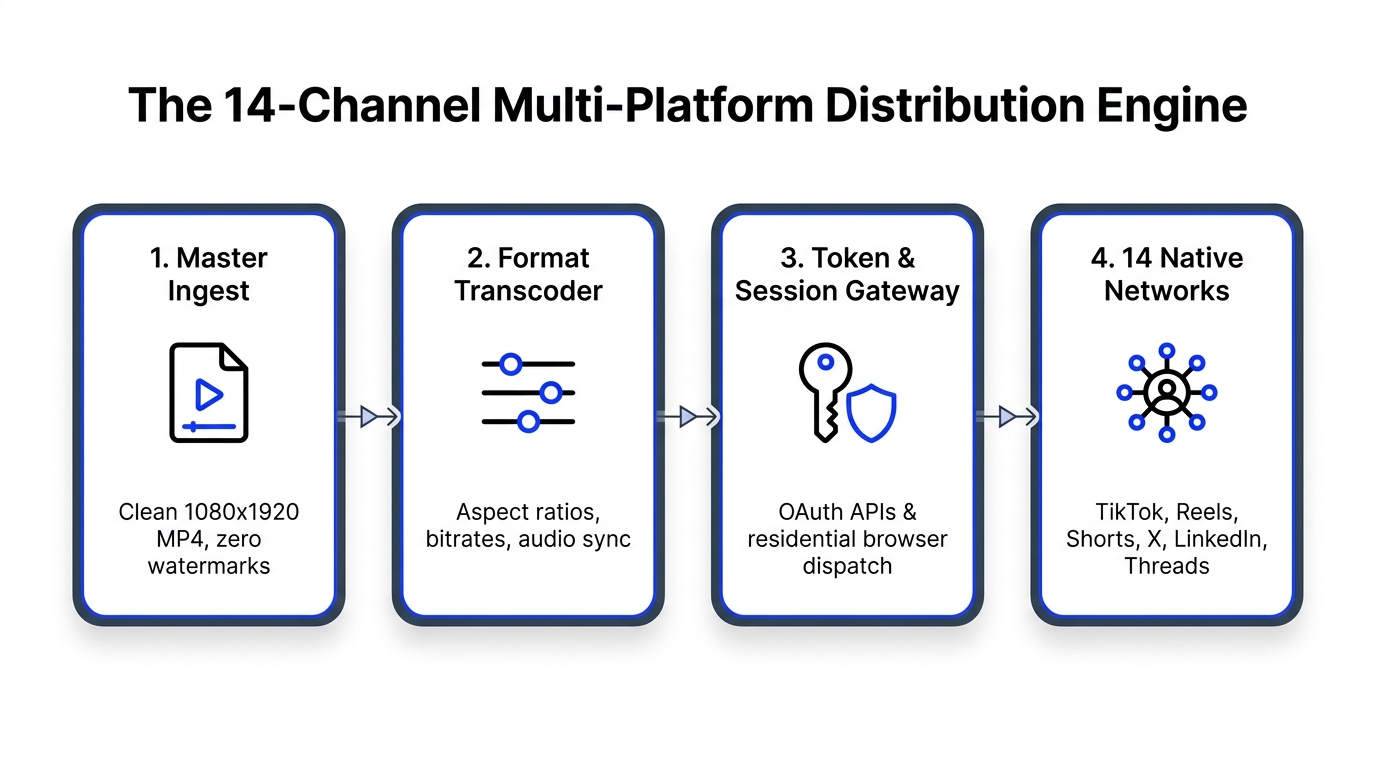
This is where the magic happens. You take your finished video or image and upload it one time. You don't need to resize it manually for every platform yet. The system handles the heavy lifting.
After uploading, you simply check the boxes for the platforms where you want the post to appear. Maybe this specific video is perfect for Reels, Shorts, and TikTok. But perhaps it also works as a helpful tip on LinkedIn or a discussion starter on Reddit. You decide with a few clicks.
Step 5 Let the API Handle the Big Five
For platforms like Instagram, YouTube, Facebook, LinkedIn, and Pinterest, the tool uses a direct API connection. This is the most stable and secure way to post.
The system sends your content straight to their servers. It can even handle things like choosing a thumbnail for your YouTube Short or tagging a location on your Instagram Reel. It is seamless and happens in the background while you focus on your next idea.
Step 6 Let the Browser Agent Handle the Rest
Here is a secret most scheduling tools won't tell you. Platforms like TikTok, X, Threads, and Reddit often block public posting APIs. This is why many other tools simply can't post to them or require you to finish the post manually on your phone.
Creator Insights solves this with a unique browser extension. This agent logs into your account locally on your computer. When it is time for a post to go live, it mimics human behavior to publish your content safely. This means you truly get 1-click distribution even on the most difficult platforms.
Step 7 Schedule and Let It Run
The final step is to pick your time. You don't want to post everything at once and disappear. You want a steady stream of content that keeps your audience engaged.
Use the built in scheduler to drip your posts out over the week. You can set specific times for each platform to maximize reach based on when your audience is most active. Once you hit schedule, your work is done. The system will take over and ensure your message reaches all 14 platforms without you lifting a finger.

Bonus Use the Trends Tracker for Inspiration
Sometimes the hardest part isn't the posting. It is knowing what to create in the first place. Inside the Trends tool, you can see what is currently going viral across different niches.
This helps you spot "outlier" content. These are videos or posts that are performing way better than a creator's usual average. When you find an outlier, you have found a topic that people actually care about right now.
Bonus Use the AI Script Generator to Repurpose
If you find a viral video that inspires you, don't just copy it. Use the AI script generator to transcribe the video and break down why it worked.
The AI can help you rewrite the hook or adjust the pacing to fit your own unique voice. This allows you to take proven content structures and turn them into something original for your own audience. It is the ultimate shortcut for creating high performing content consistently.
Final Thoughts
Multi platform distribution used to be a luxury reserved for top creators with massive teams. Today, it is a necessity for anyone who wants to grow.
By using a content distribution tool to automate social media posts, you free up your time to do what you actually love. You get to be a creator again, not a manual uploader.
Stop letting your hard work go unnoticed on just one platform. Start your journey toward omnipresence today.
Start your free Creator Insights account now and see how easy it is to reach 14 platforms at once.