If you produce vertical video, you already know the production bottleneck: editing a 60-second video takes 45 to 90 minutes, but manually re-uploading that same file across platforms consumes an extra 15 minutes of tedious administrative work per video.
Worse, the standard shortcut—tapping "Save Video" inside the Instagram app and uploading that file directly to YouTube—quietly kills your reach before the first impression registers.
Here is the exact technical breakdown of why manual re-posting fails, how platform algorithms penalize downloaded files, and how to set up an automated, watermark-free sync between Instagram Reels and YouTube Shorts.
The Watermark Trap: Why Downloaded Reels Get Suppressed
When you export a published Reel directly from the Instagram mobile app, Instagram does two things to the file:
- Visual Watermarking: It burns an animated Instagram logo and your handle directly into the video pixels.
- Metadata Tagging: It embeds platform-specific compression artifacts and container tags inside the MP4 container.
YouTube's recommendation system scans incoming Shorts during ingestion. Its automated vision filters identify on-screen competitor badges and watermark overlays.
YouTube does not ban watermarked videos, but its recommendation system deprioritizes them from the Shorts shelf. The platform wants viewers to experience native content, not recycled clips displaying competing brand marks.
If you manually save your videos, you must store the raw camera roll exports on local drives, organize asset folders, and manually paste titles, tags, and descriptions into YouTube Studio every day. For a team publishing daily, that equals 7+ hours of monthly mechanical overhead.
Reels vs. Shorts: The Core Algorithmic Difference
A common mistake is treating YouTube Shorts like an Instagram clone. While both formats share a 9:16 vertical canvas, their discovery mechanics are fundamentally different.
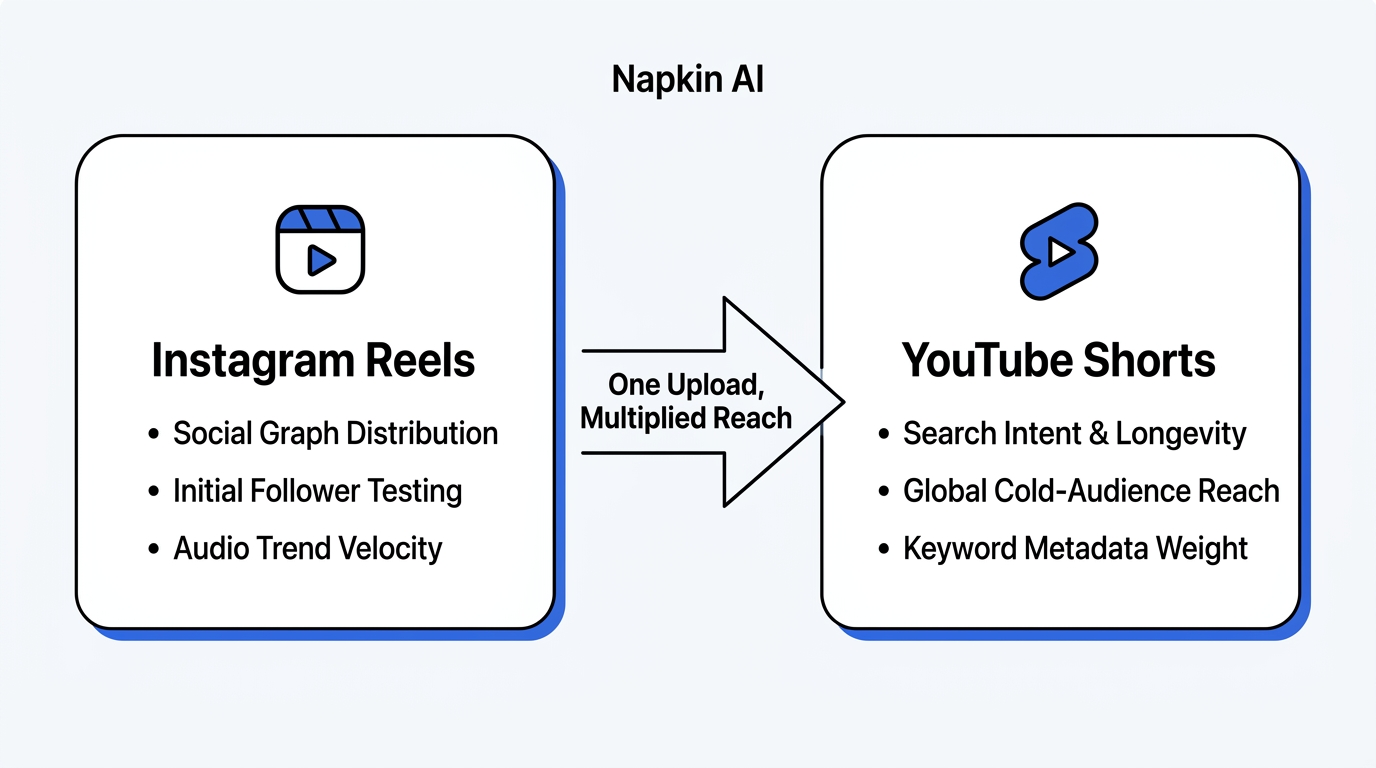
1. Instagram Reels (Social Graph & Initial Velocity)
Instagram distributes Reels primarily through social relationships and immediate account velocity. When you publish:
- Instagram shows your video to a test cohort of existing followers.
- If initial retention and direct-message shares exceed the niche baseline, the algorithm tests the video on the Explore grid and Reels feed.
- Lifespan is short: 80% of total views occur within the first 72 hours.
2. YouTube Shorts (Intent & Search Longevity)
YouTube Shorts functions as a hybrid search engine and cold-audience discovery stream:
- Initial impressions test audience completion rate and "Viewed vs. Swiped Away" percentage.
- Unlike Instagram, YouTube Shorts continue ranking in YouTube Search and Google video carousels months after publication.
- A video that registers modest views in week 1 can suddenly spike in month 3 if search demand for the underlying topic accelerates.
Because YouTube ranks search queries, your YouTube Shorts upload needs descriptive, keyword-targeted titles and structured descriptions—not Instagram-style hashtag blocks.
The 4-Step Automated Clean Sync Workflow
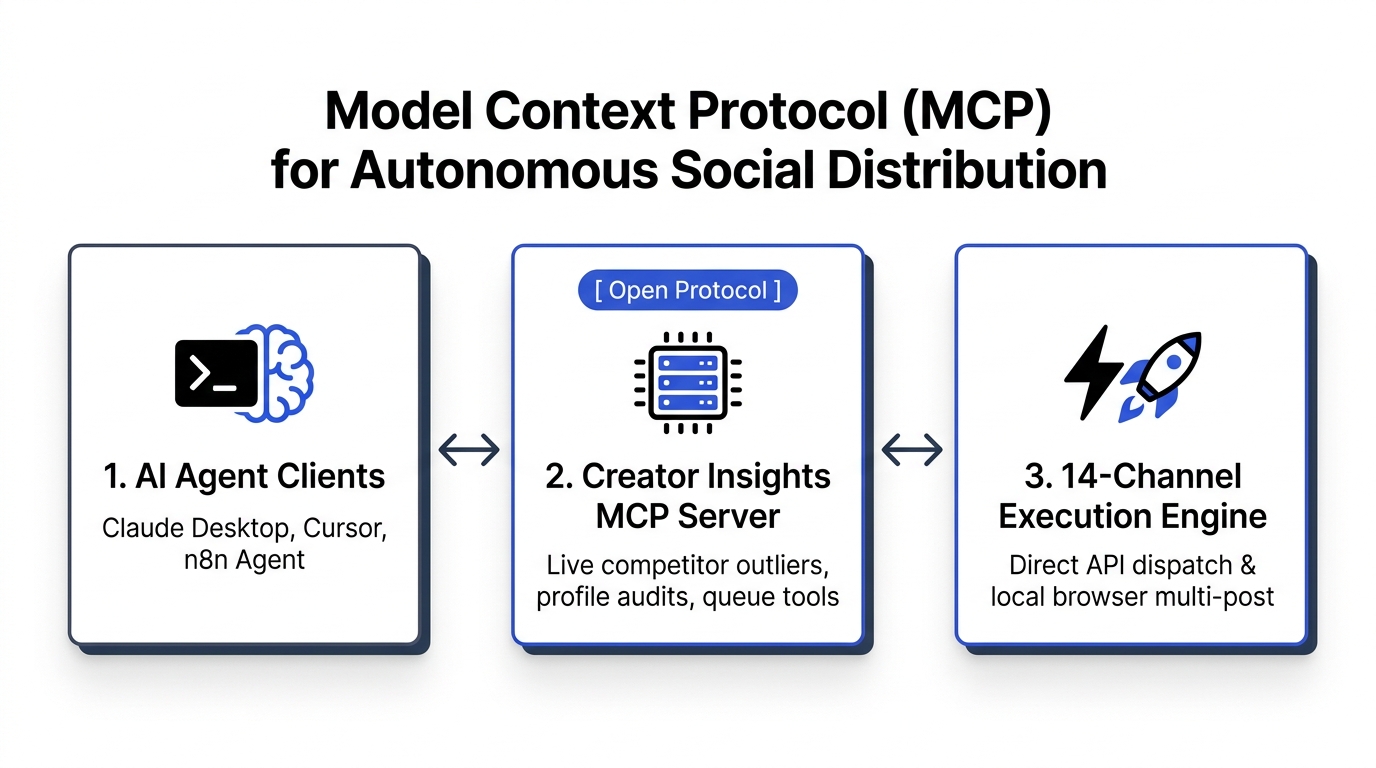
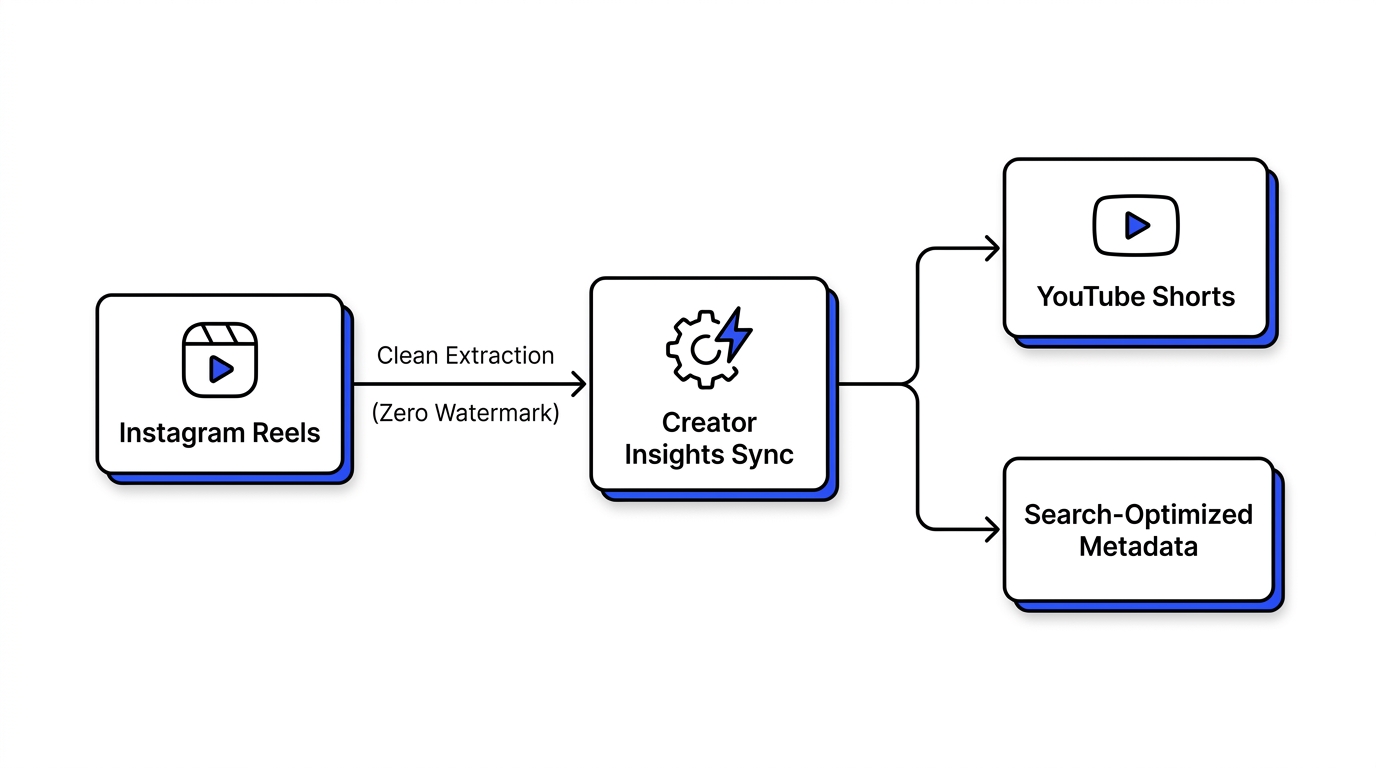
To scale distribution without spending your afternoon inside file pickers, you can establish an automated pipeline using Creator Insights.
Step 1: Ingest via Clean Master Stream
Instead of screen recording or using basic mobile exports, Creator Insights captures the raw, pre-render source stream when you publish your Reel. The video is ingested at native 1080x1920 resolution, 30/60 fps, with zero platform overlays or compression artifacts.
Step 2: Adaptive Metadata Transformation
Instagram captions tend to be informal, conversation-driven, and reliant on broad tags. YouTube demands search-indexed copy.
Within Creator Insights, you set custom transformation templates:
- Title Mapping: Converts the first hook sentence of your Instagram caption into an 80-character high-CTR YouTube title.
- Description Enrichment: Automatically appends relevant playlists, resource links, and primary keywords while stripping broken tag symbols.
- Category Assignment: Tags the video with the exact YouTube topic category (Education, Technology, Entertainment) to assist Google’s classification engine.
Step 3: Drip Queue Scheduling
Publishing three Reels in one afternoon on Instagram should not result in a spam barrage on your YouTube subscribers.
The sync engine uses intelligent queue buffering:
- Set your target YouTube publishing window (e.g., 11:30 AM EST).
- New Reels queue sequentially, maintaining consistent daily uploads even when your filming schedule is irregular.
Step 4: First 24-Hour Velocity Tracking
Once the Short goes live, Creator Insights monitors:
- Viewed vs. Swiped Away Rate: Aim for 70%+ viewed.
- Average Percentage Viewed (APV): Videos under 30 seconds need 100%+ APV; videos over 45 seconds should exceed 75%.
- If a Short underperforms its sister Reel, the system flags title variations you can A/B test directly from your dashboard.
Best Practices Checklist for Cross-Platform Success
| Element | Instagram Reels Requirement | YouTube Shorts Adaptation |
|---|---|---|
| Hook Window | First 1.5 seconds | First 2.0 seconds (high swipe sensitivity) |
| Audio | Trending licensed tracks (often muted on other apps) | Copyright-cleared original audio or native YouTube library |
| Title Format | Optional (defaults to caption) | Required: Clear, keyword-focused, under 70 characters |
| CTA Style | "Save this post" or "Comment KEYWORD" | "Subscribe for part 2" or link to pinned long-form video |
| On-Screen Safe Zones | Bottom 25% obstructed by UI / caption | Right side (like/dislike/share) & bottom title bar |
Automate Your Distribution Today
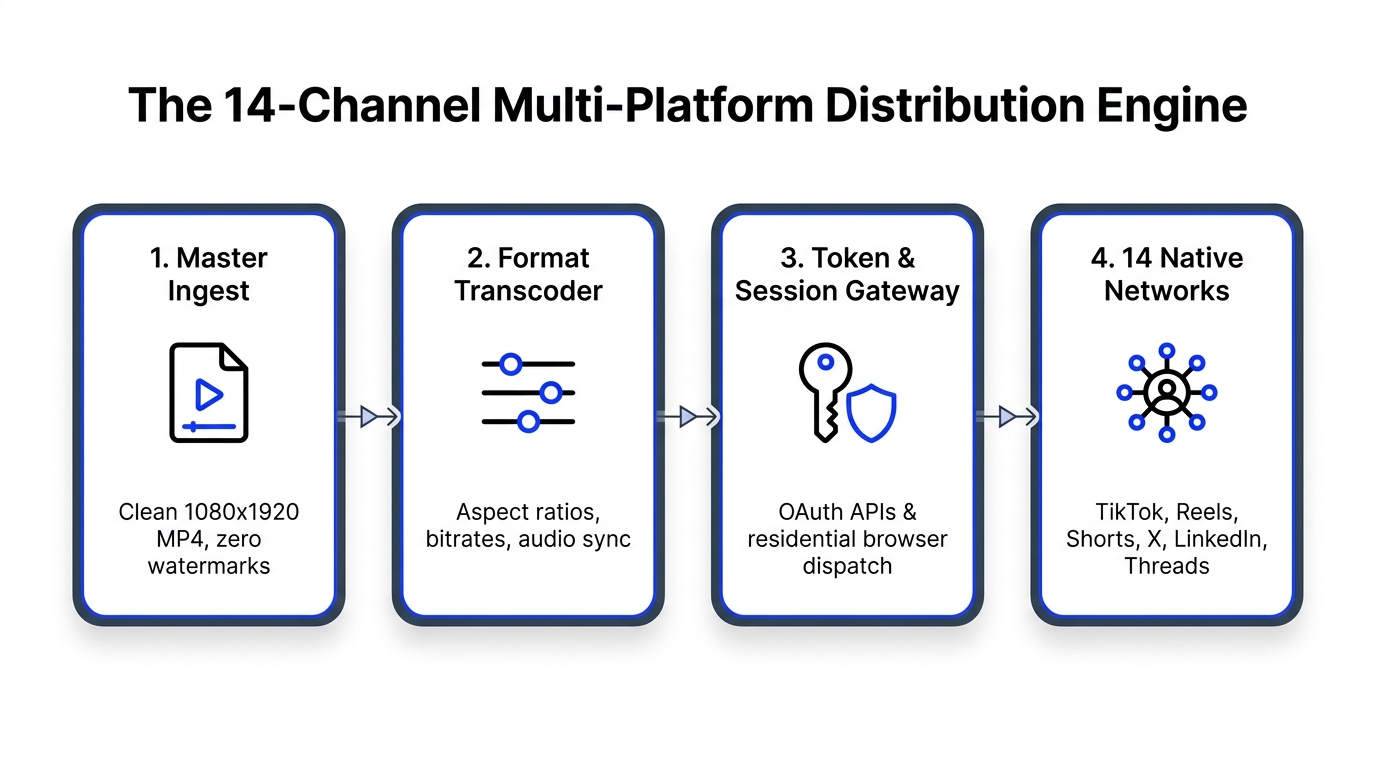
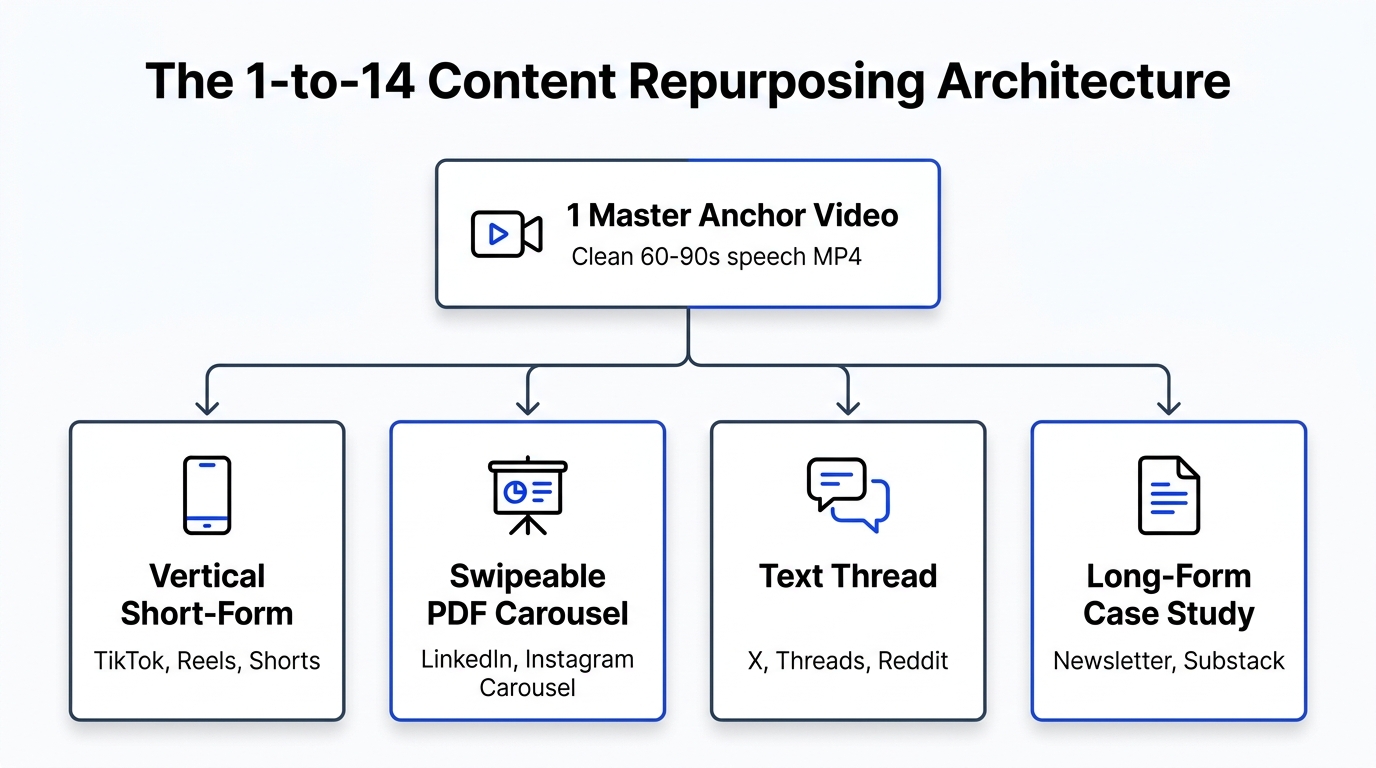
Stop manually moving video files across browser tabs. With Creator Insights, you can film once, post to Instagram, and let our engine automatically format, clean, and schedule your content across YouTube Shorts, TikTok, LinkedIn, and 11 other social channels.
👉 Start your automated sync with Creator Insights and put your content distribution on autopilot.