
Scheduling your content across multiple platforms used to feel like a nice-to-have.
In 2026, it’s really just part of the job.
If you’re posting on Instagram, TikTok, LinkedIn, YouTube Shorts, X, Threads, Facebook, Pinterest, and everything else your audience touches, manual publishing starts to eat up more time than most people realize. Not because posting itself is hard, but because the context-switching is. You open one app, then another, then another. A quick task turns into half your afternoon.
That’s why learning how to schedule social media posts well matters so much. It gives you consistency without asking you to be online all day, and it lets you spend more time making better content instead of babysitting publish buttons.
This guide walks through a practical way to do that across 14+ platforms without losing your mind in the process.
The Real Cost of Manual Posting
Most creators and teams don’t struggle because they lack ideas. They struggle because distribution becomes messy.
A post is ready, but the caption still needs to be rewritten for LinkedIn. TikTok has to be uploaded separately. Instagram gets pushed back until later. Facebook is forgotten entirely. By the end of the week, good content exists, but it never gets distributed properly.
That’s the real cost of manual posting. Not just time, but inconsistency.
When you’re managing 14+ platforms, including Instagram, TikTok, LinkedIn, YouTube Shorts, X, Threads, Facebook, Pinterest, and more, the friction adds up fast.
A common belief is that posting natively on every platform will somehow lead to better reach.
Sometimes that advice is oversimplified.
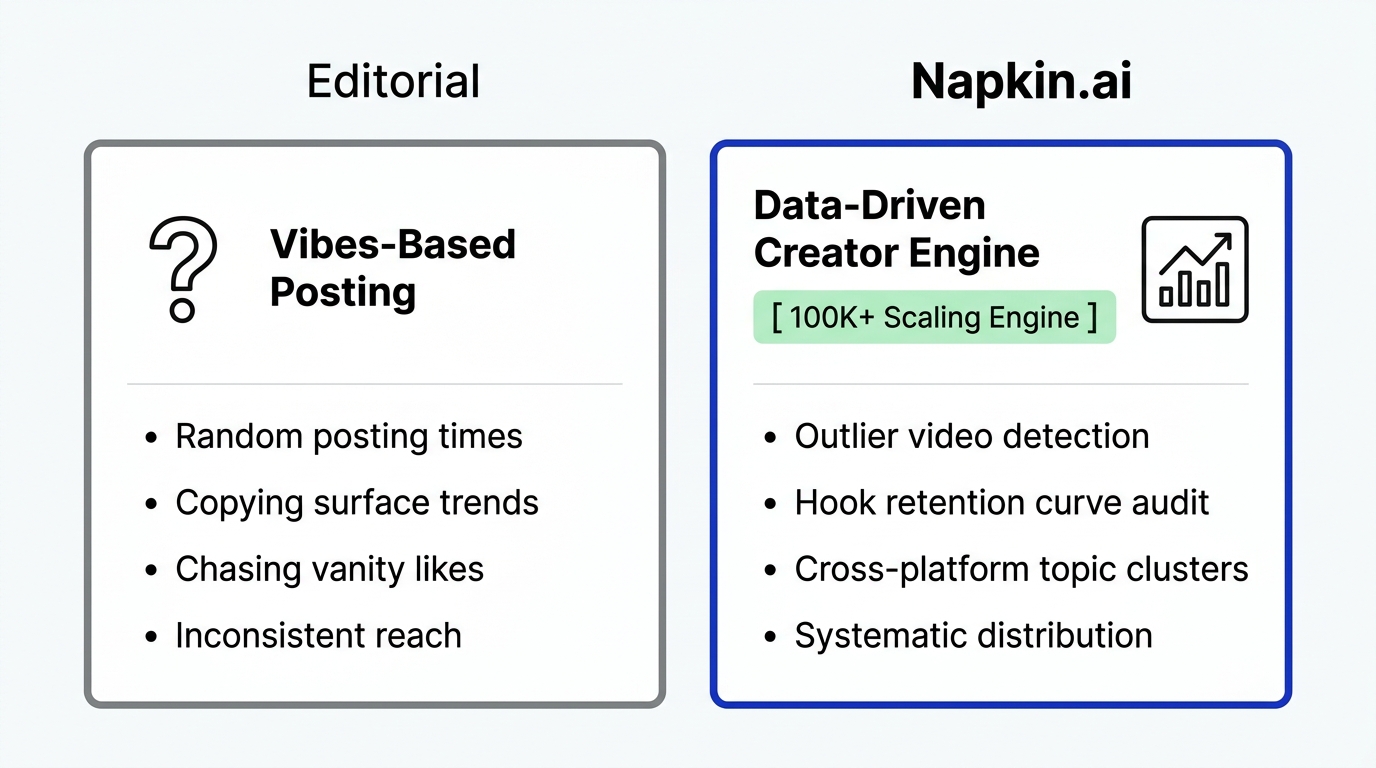
What usually hurts reach more is inconsistency. If a post goes up three days late because you didn’t have time to upload it everywhere, that missed timing matters more than whether you clicked publish inside the native app.
That’s where a good social media automation tool helps. It turns distribution into something reliable and repeatable.
A Simple Way to Think About Content Distribution
A better way to think about content is to start with one core asset and adapt it outward.
Instead of treating every platform as a completely separate project, you begin with a single post, video, or idea, and then shape it for the places it needs to go. That doesn’t mean copy-pasting blindly. It means building once, then adjusting with intention.
1. The Creator Canvas: Strategy Before Execution
Before you schedule anything, it helps to see the bigger picture. At Creator Insights, we use the Creator Canvas.
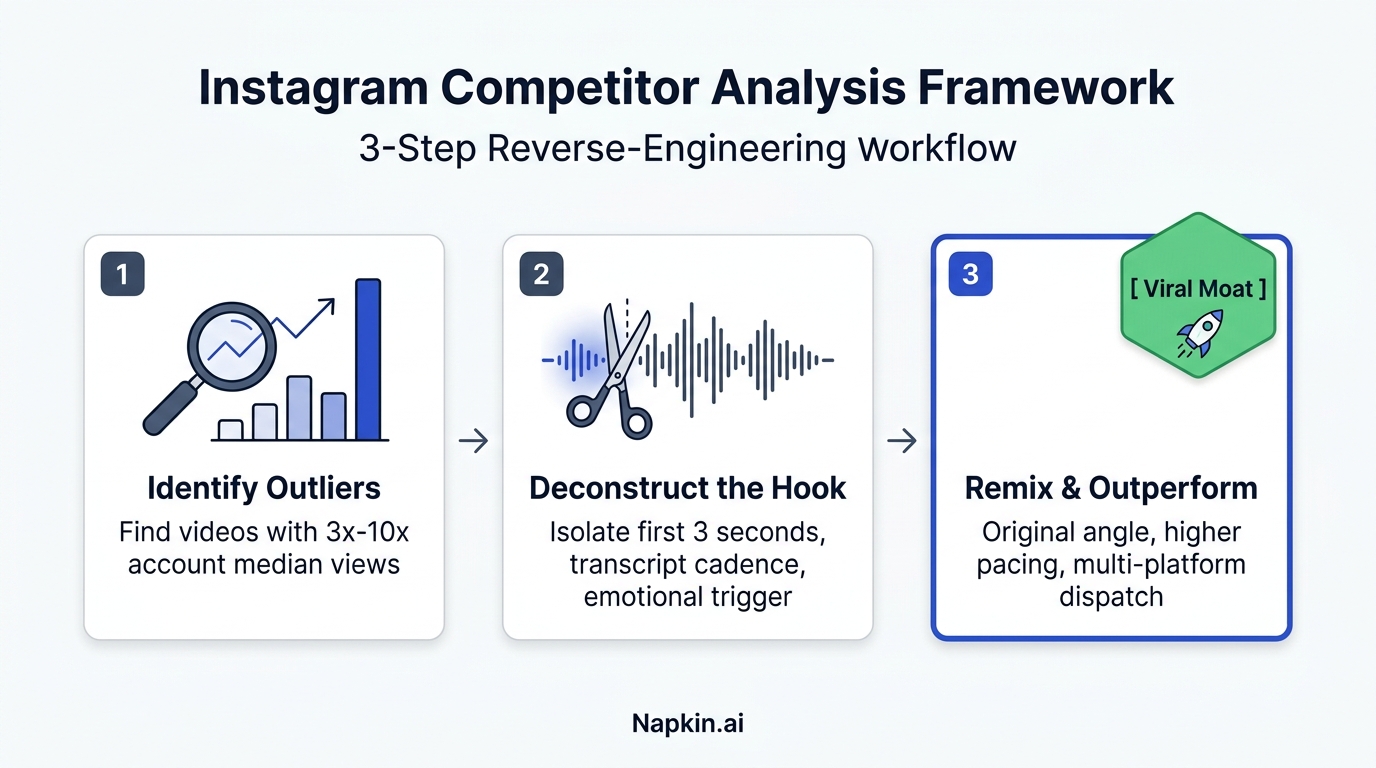
It’s a visual planning space that helps you organize ideas, review what competitors are doing, and spot the outlier posts that are actually getting traction in your niche. For a lot of creators, that kind of visibility is what turns content planning from reactive to deliberate.
2. Adapting Your Content for Different Platforms
One video rarely works exactly the same way everywhere.
A hook that feels natural on TikTok might need a different opening on LinkedIn. A caption that works on Instagram may need more context on Facebook or X. That’s why transcription and adaptation matter.
When you can transcribe a video quickly and turn that into platform-specific scripts, you keep the original idea while still respecting the format and audience expectations of each channel.
3. The 1-Click Multi-Platform Posting
Once the content is ready, the publishing process should be simple.
You upload once, choose the platforms you want, and schedule or publish from one place. That sounds small, but it changes your workflow completely when you’re doing it every week.
Why the Browser Extension Makes a Difference
One of the biggest frustrations with many scheduling tools is that they depend entirely on public APIs.
That becomes a problem when platforms like Instagram and TikTok limit what third-party tools can do. You think you’ve found a scheduler that solves everything, and then you discover it can’t actually post where you need it to.

That’s why the browser extension approach matters.
Creator Insights uses a browser extension bridge to handle posting through your browser, which helps get around some of the limitations that affect API-only tools. In practical terms, that means you’re not stuck waiting for official support every time a major platform makes things harder for outside software.
If you’ve ever planned your whole week in a scheduling tool only to realize TikTok still has to be posted manually, you already know how important that difference is.
Finding What Actually Works for Your Schedule
A lot of posting advice online still treats timing like a universal rule.
It isn’t.
In 2026, generic “best time to post” lists are mostly background noise. Your audience has its own habits, and those habits depend on your niche, your format, and the platform itself.
| Platform | 2026 Benchmark Frequency | Strategy |
|---|---|---|
| TikTok | 3–5x / Week | High-frequency outlier testing |
| 3–5x / Week | Visual authority and community | |
| 2–5x / Week | Professional intelligence and authority | |
| YouTube Shorts | 1–3x / Week | Long-term discovery and search |
| Secondary (X, FB, Pin) | 1x / Day | Automated presence and link juice |
A simple workflow looks like this:
- Audit: Use outlier detection to understand what’s already performing well in your niche.
- Batch: Create a week of content in one focused session so you’re not reinventing the wheel every day.
- Schedule: Use a multi platform posting tool to distribute that content across all 14 platforms.
- Monitor: Use competitor tracking to see how others in your space are responding and what patterns are emerging.
If you want a napkin version of this, picture a simple loop: research → batch → schedule → review. Then repeat.
That’s usually more effective than relying on instinct every single morning.
Why Most Creators Burn Out (And How to Prevent It)
Burnout often has less to do with creativity and more to do with operations.
A lot of creators spend the majority of their time logging in, uploading files, resizing assets, rewriting captions, adding tags, and trying to keep up with each platform’s quirks. The creative work gets squeezed into whatever energy is left over.

Using a content distribution platform helps shift that balance.
Instead of repeating the same administrative work over and over, you can automate the repetitive parts and make more room for planning, writing, recording, and reviewing what’s actually working.
More Platforms, More Opportunities
There’s also a simple reach benefit here.
When you schedule social media posts effectively, you give your content more opportunities to be discovered.
If you publish on one platform, you get one surface area for discovery. If you publish on 14, you increase the number of places where that same idea can catch on, be shared, or lead someone back to your work.
It’s not about chasing virality everywhere. It’s about giving strong content more chances to travel.
Implementing the Engine: A Step-by-Step Manual
- Centralize Your Inputs: Keep your ideas in one place instead of scattering them across notes apps, voice memos, and drafts. The Creator Canvas works well for this.
- Apply the 1-Click Formula: Upload your video or image, then use tools like these AI tools to help with descriptions and tags when needed.
- Bridge the Gap: Make sure your browser extension is active for platforms like TikTok and Instagram where standard scheduling workflows can break down.
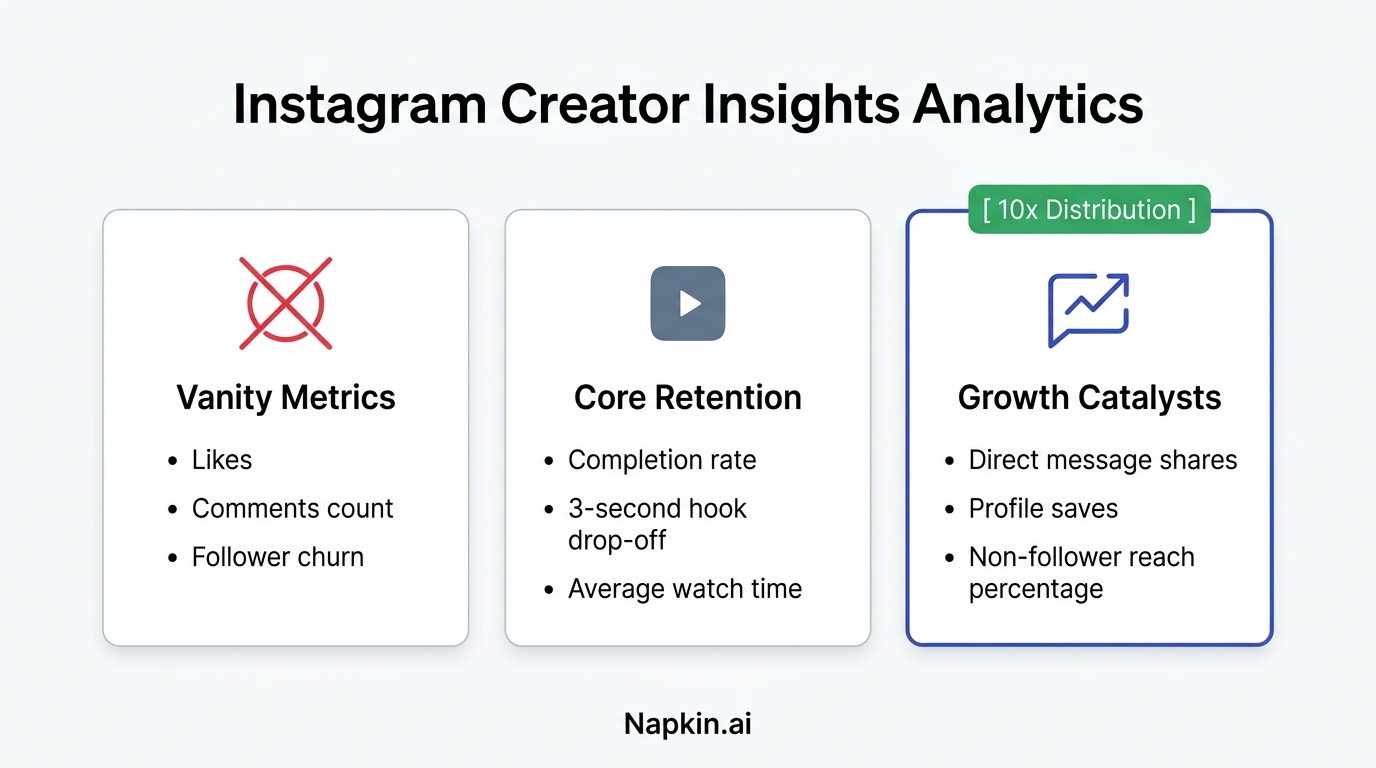
- Analyze the Decay Rate: Review which platforms are actually driving results. If one channel is underperforming consistently, adjust your effort there. If another is gaining traction, lean in.
You don’t need a complicated operating system for this. You just need a workflow you’ll actually stick to.
Building a Workflow That Lasts
The creator space keeps getting more competitive, but the answer usually isn’t “work more.”
It’s “build a better system.”
The people growing consistently in 2026 are often the ones who have figured out how to distribute their work without turning every post into a manual chore. They still care about quality. They still care about audience fit. They’ve just removed as much unnecessary friction as possible.
If you’re tired of spending hours on uploads, captions, and platform hopping, that’s a strong sign your workflow needs an upgrade.
Build your distribution engine with Creator Insights today.